

Product
Tools that connect dispatch, drivers, tickets, and billing
Strait Dispatch is organized around the way work moves: planned in dispatch, completed in the field, tracked on the map, audited and billed in the office, then reported to management.
Free trial, no credit card required. Already a customer? Fleet Manager Login
Dispatch and work orders
See the work and adapt it quickly
Dispatchers build and assign work orders from one screen, with the stops, times, load details, rates, and notes the job needs.
- Work orders with single or multiple stops and load details
- AI RateCon parser: upload a rate confirmation PDF and the work order fills itself in
- Auto dispatch for standing work: when a driver finishes a load, the next one on the same job is sent to them
- Loads stopped at the trailer’s capacity, if the job calls for it
- Route planning for OTR loads: the roads you choose, fuel and rest stops, diesel prices along the route, and when the driver’s hours of service run out, sent to the driver’s turn-by-turn directions
- Assign drivers, trucks, trailers, or contractor carriers
- Divisions with their own icons and colors on the map
- Custom routes saved for the jobs that need them
- No hard limit on the number of trucks, carriers, or drivers in a fleet
Driver Day Board
Dispatch as easily as a whiteboard, with drivers updated in real time
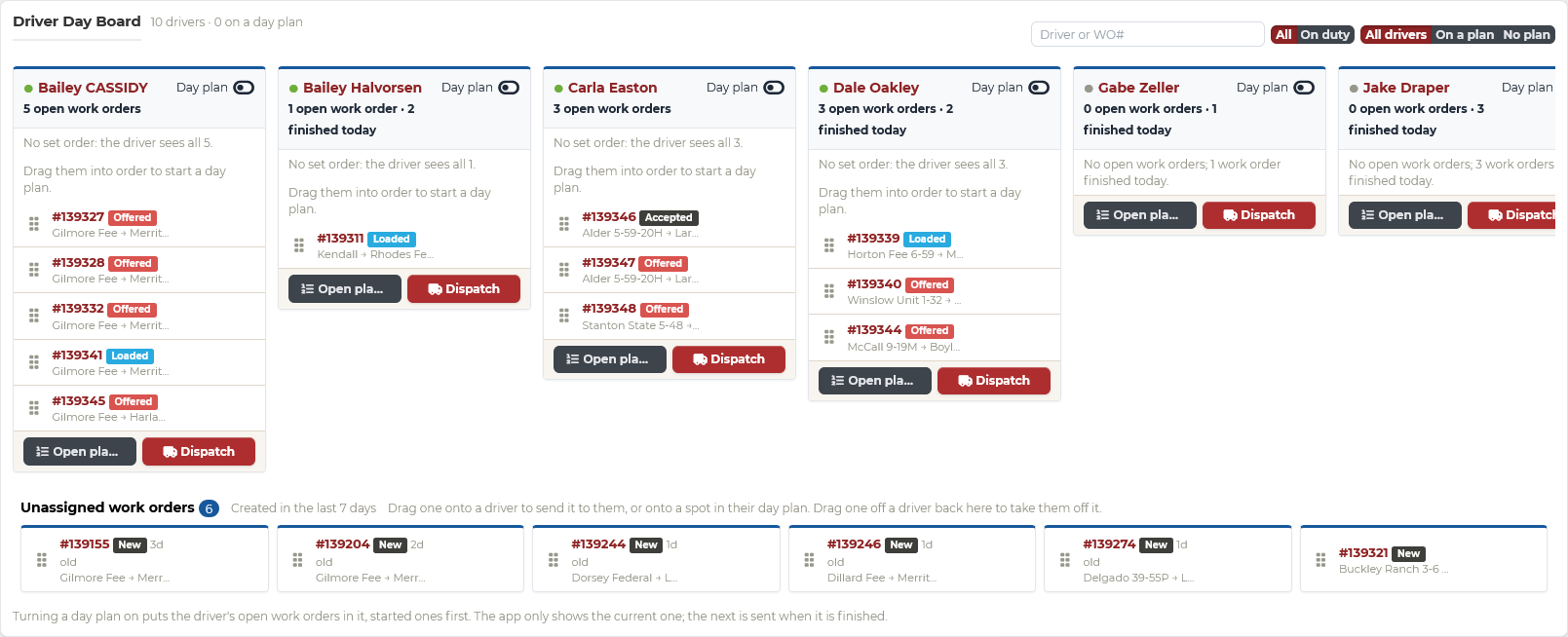
The Day Board shows each driver as a column of their open work orders, with unassigned work below. Drag a work order onto a driver to send it, drag it off to take it back, or drop it on another driver to reassign it. Every change reaches the driver’s app the moment you make it.
- Queue each driver’s loads for the day, in the order you want them run
- Day plans, per driver: show only the current load, and send the next one when it is finished
- Drag work orders onto, off of, and between drivers
- Unassigned work orders waiting to be placed
- Filter to drivers on duty or on a day plan
Change history
Every reassignment and edit, on the work order
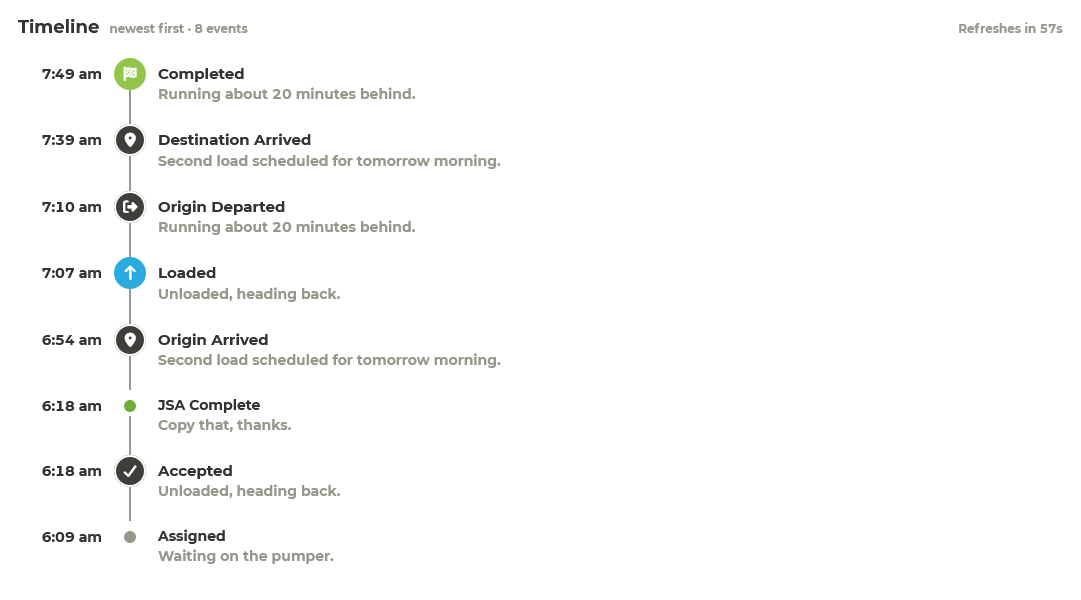
Each work order keeps its own timeline: when it was assigned and accepted, each status the driver sent from the field, and every change the office made, with who made it and when. When a load moves between drivers or a rate changes, billing can see why.
- Assignments, reassignments, and driver responses
- Field status changes as they happen
- Office edits, by whom and when
Driver app and digital tickets
The field sends complete job records without paper handoffs
Drivers use the Strait Dispatch Driver app for iOS and Android to receive work, record digital tickets, and update status as the job moves.
- Digital tickets instead of paper
- Works without signal: tickets, status changes, and GPS are saved on the phone and sent the moment it reconnects
- Photos and notes attached to the job
- Start- and end-of-shift vehicle inspections, customized for each type of equipment, with photos of any issues
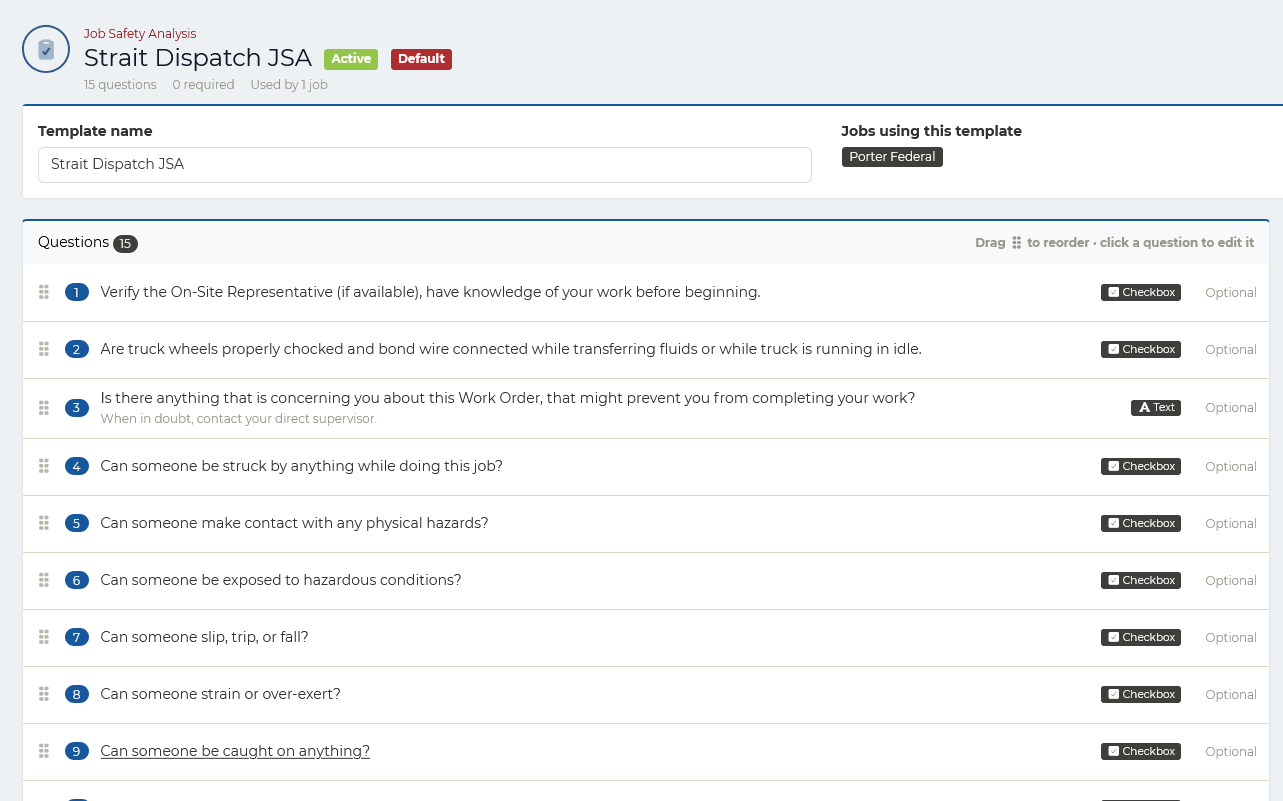
- Job safety analyses (JSAs) assigned by job, so each customer can have its own, completed in the app before work starts
- Job status updates sent straight to dispatch
- Driver documents (CDL, medical card, H2S, tanker, hazmat) tracked, with notice before they expire, and a full Driver Qualification File (FMCSA 391.51) for the carriers that need one
- Hours of service by each driver’s rule set: clocks from Motive, Samsara, or Geotab, or an estimate from Driver app on-duty time, with alerts and a warning at dispatch
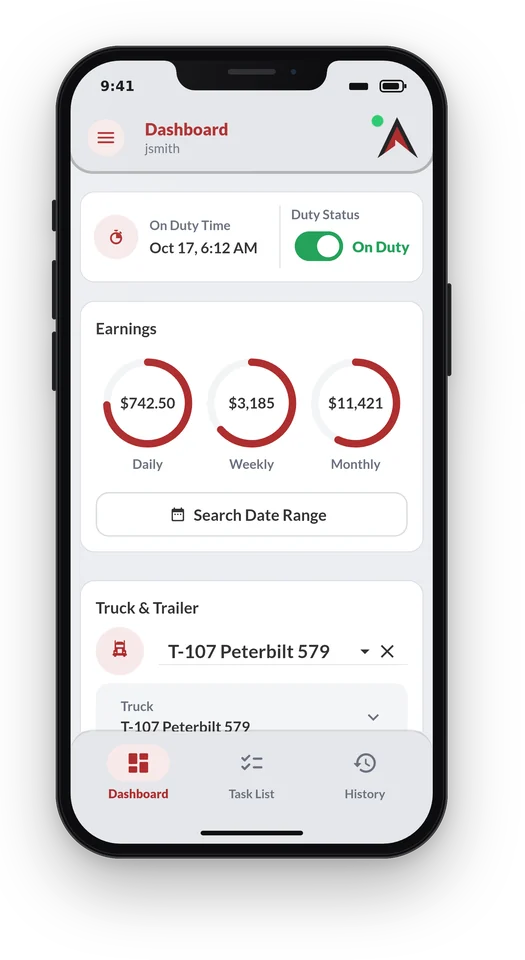
On duty
Drivers go on duty, pick their truck and trailer, and see what they have earned today, this week, and this month.
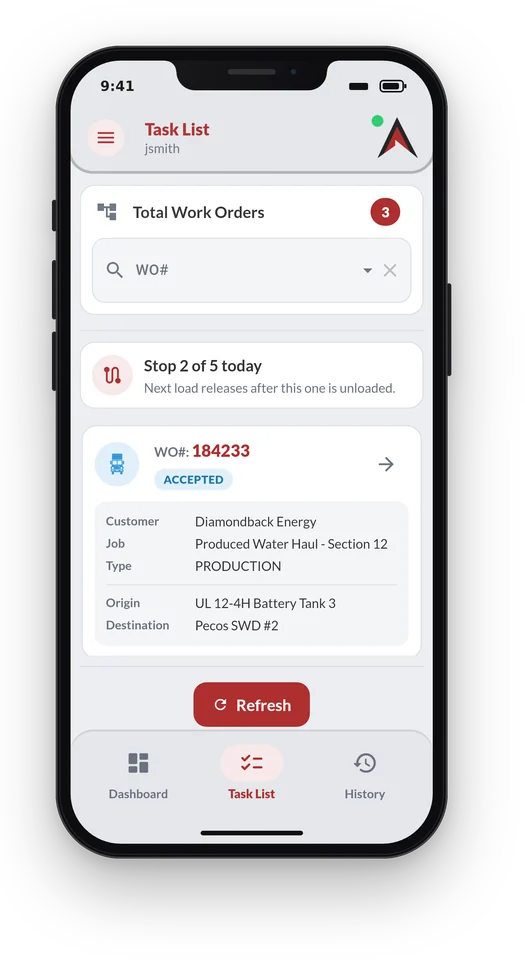
Day plan
On a day plan the driver sees only the current load, and the next one releases once this one is unloaded.
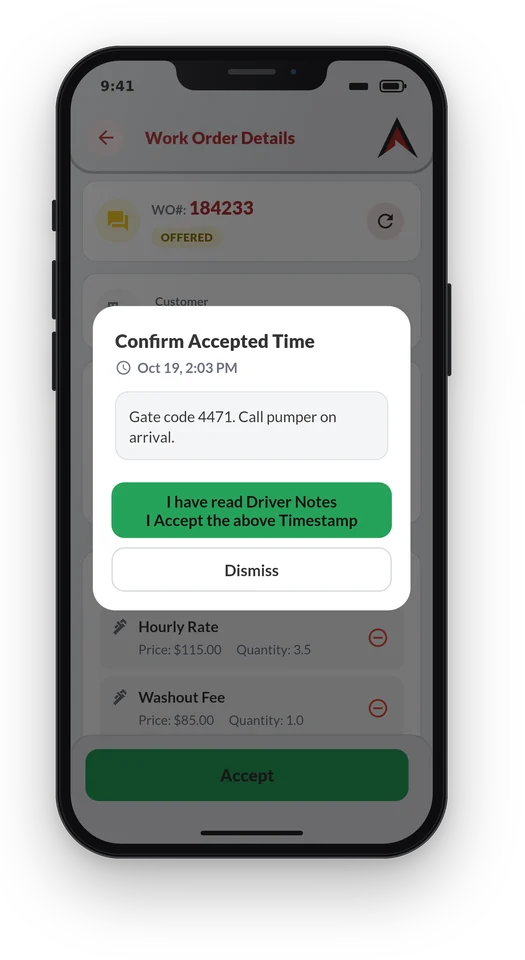
Accept the load
Dispatch notes, like a gate code, come with the work order, and the driver confirms reading them when accepting it.
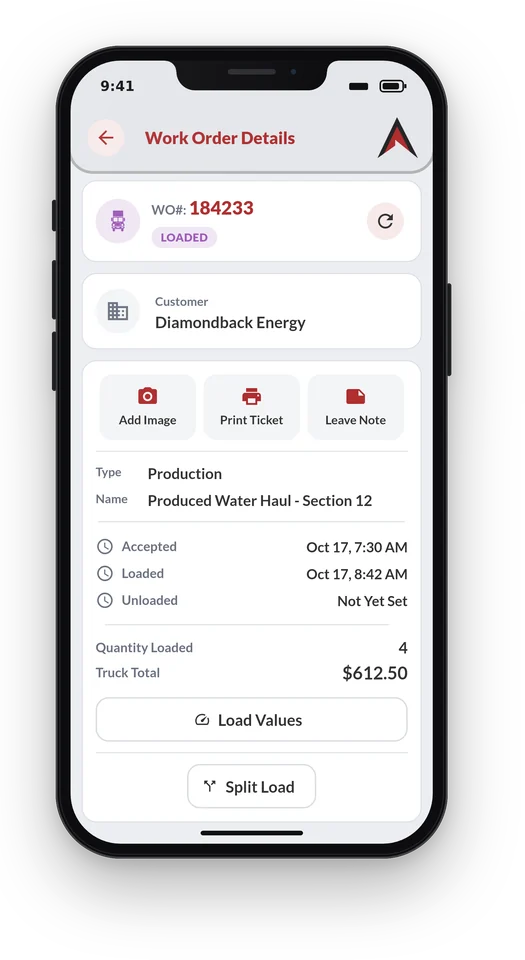
Work the ticket
Times, quantities, photos, and notes go on the work order as the job happens, and the ticket can be printed from the truck.
GPS and route control
Fewer status calls for your team and your customers
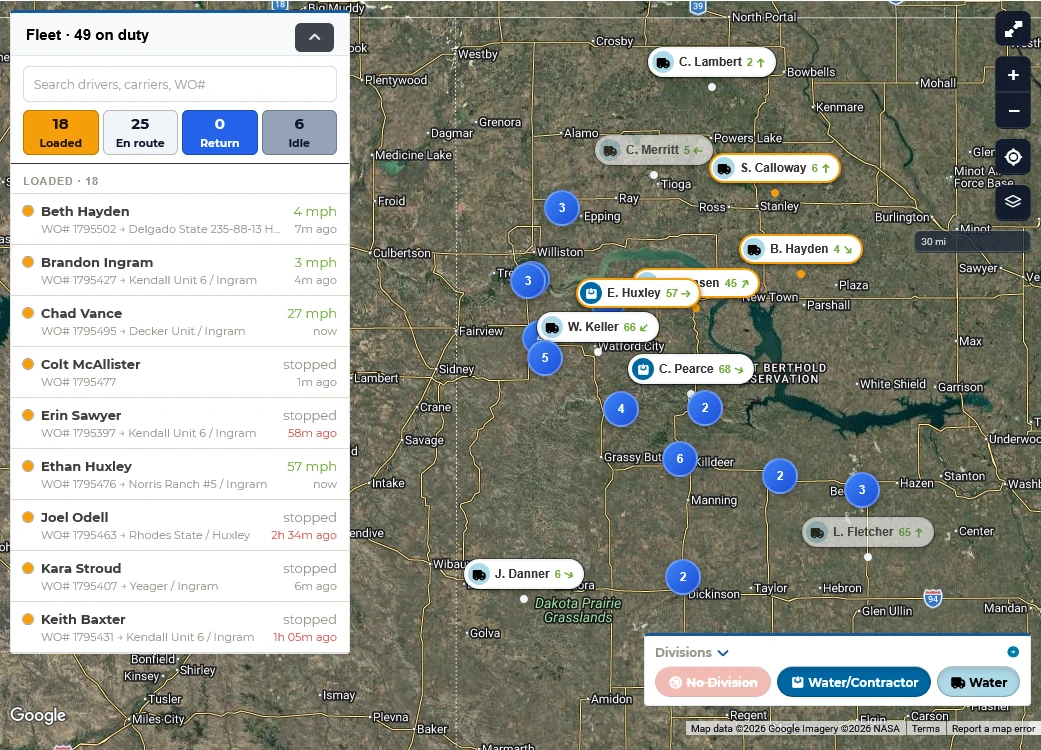
Every truck's location, speed, and status shows on the fleet map. Location comes from GPS built into the Driver app, or from Motive, Samsara, or Geotab if you already run them.
- Fleet map with live location and status by division
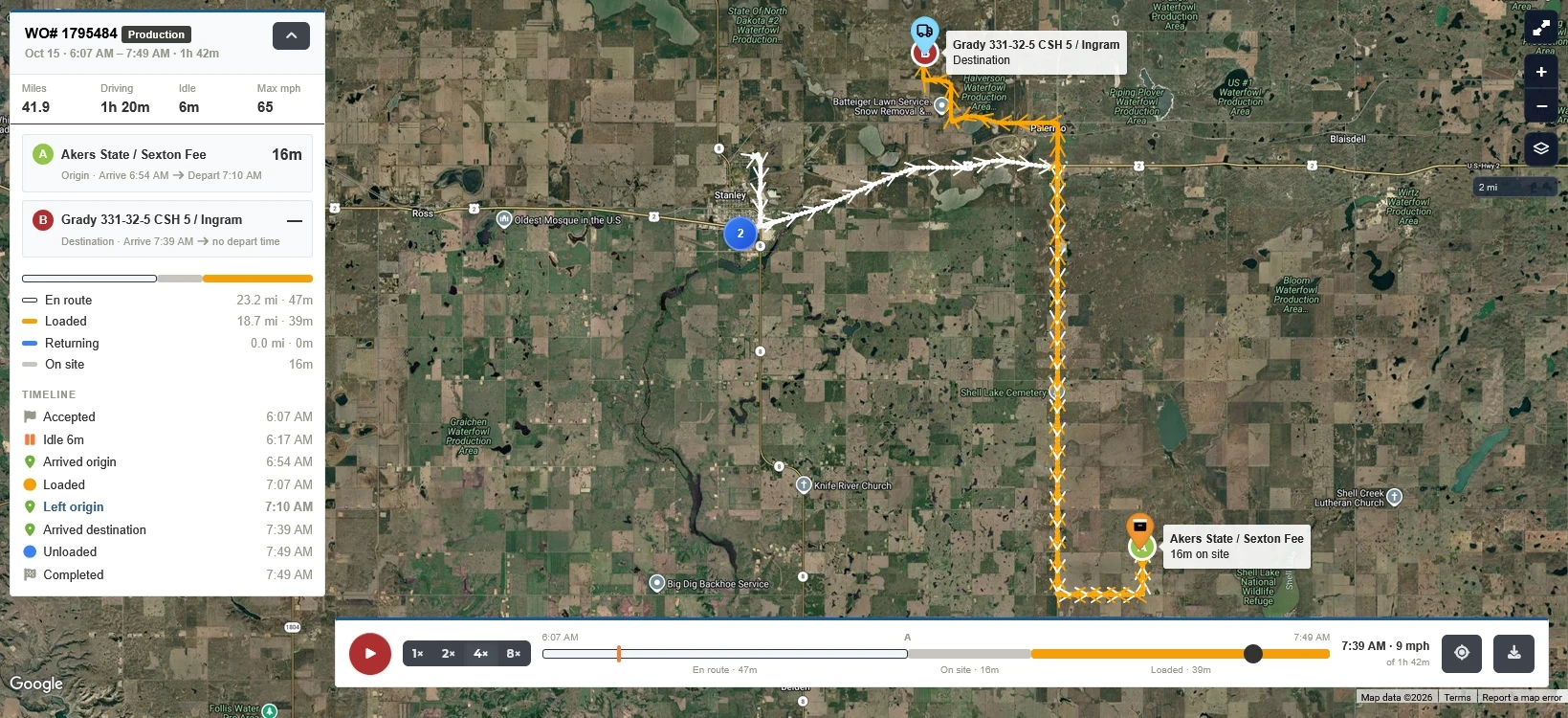
- Trip replay for each work order: miles, driving and idle time, time on site, and a timeline from accepted to completed
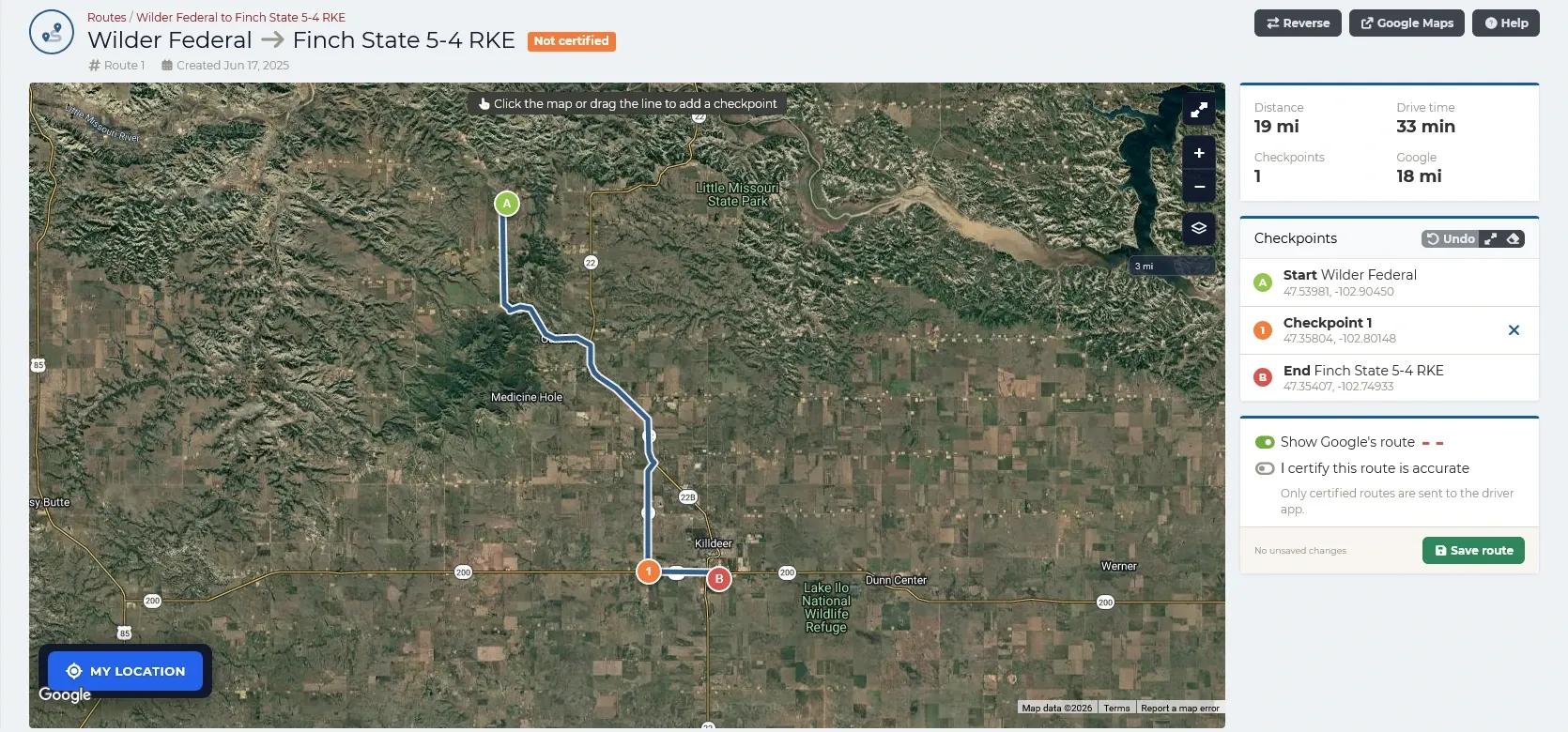
- Certified routes around restricted roads: add checkpoints on the map, compare with Google’s route, and send drivers only routes someone has certified
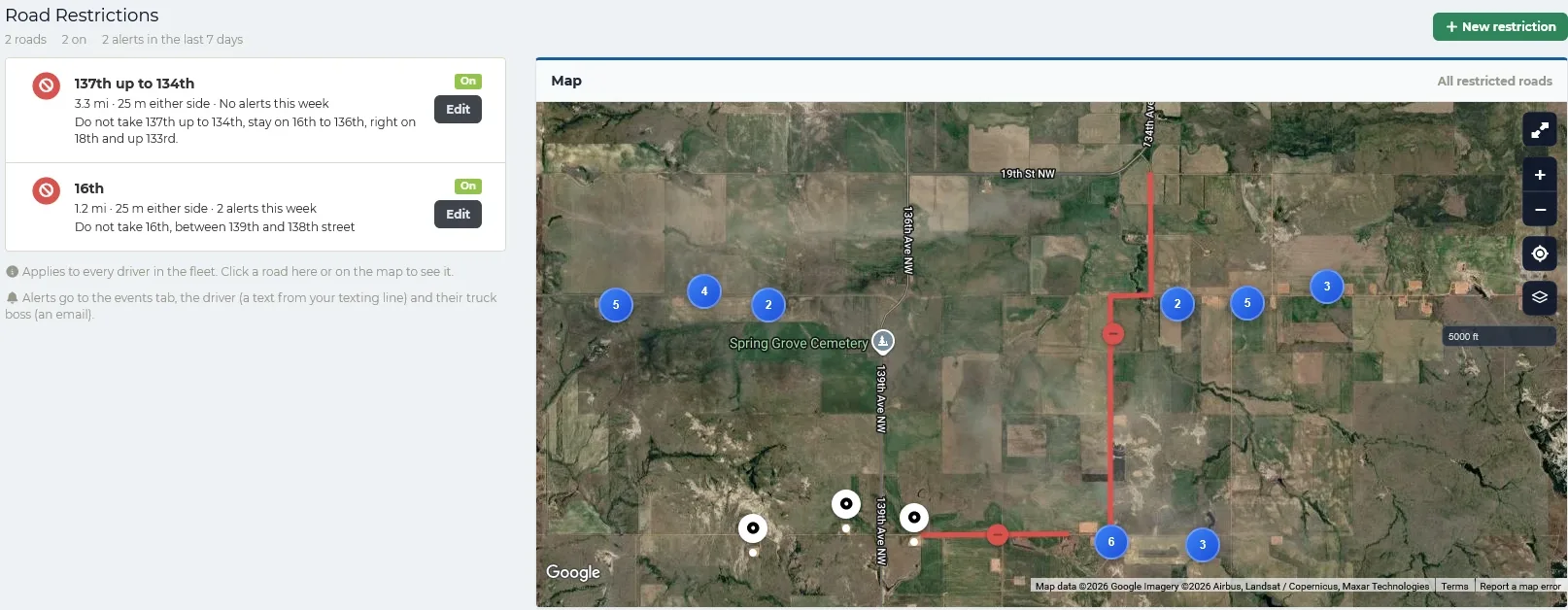
- Road restrictions: mark roads off limits to every driver, and get an alert, a text to the driver, and a map of where they drove if a truck goes on one
- Load limits on roads: allow a road only under a set number of barrels, tons, or any other unit, checked against what the driver is hauling right then
- Customer tracking links so shippers can see their load without calling
- In-platform texting to one driver, a group, or the whole fleet
Certified routes
Add checkpoints by clicking the map or dragging the line, compare with Google’s route, and certify it before it goes to drivers.
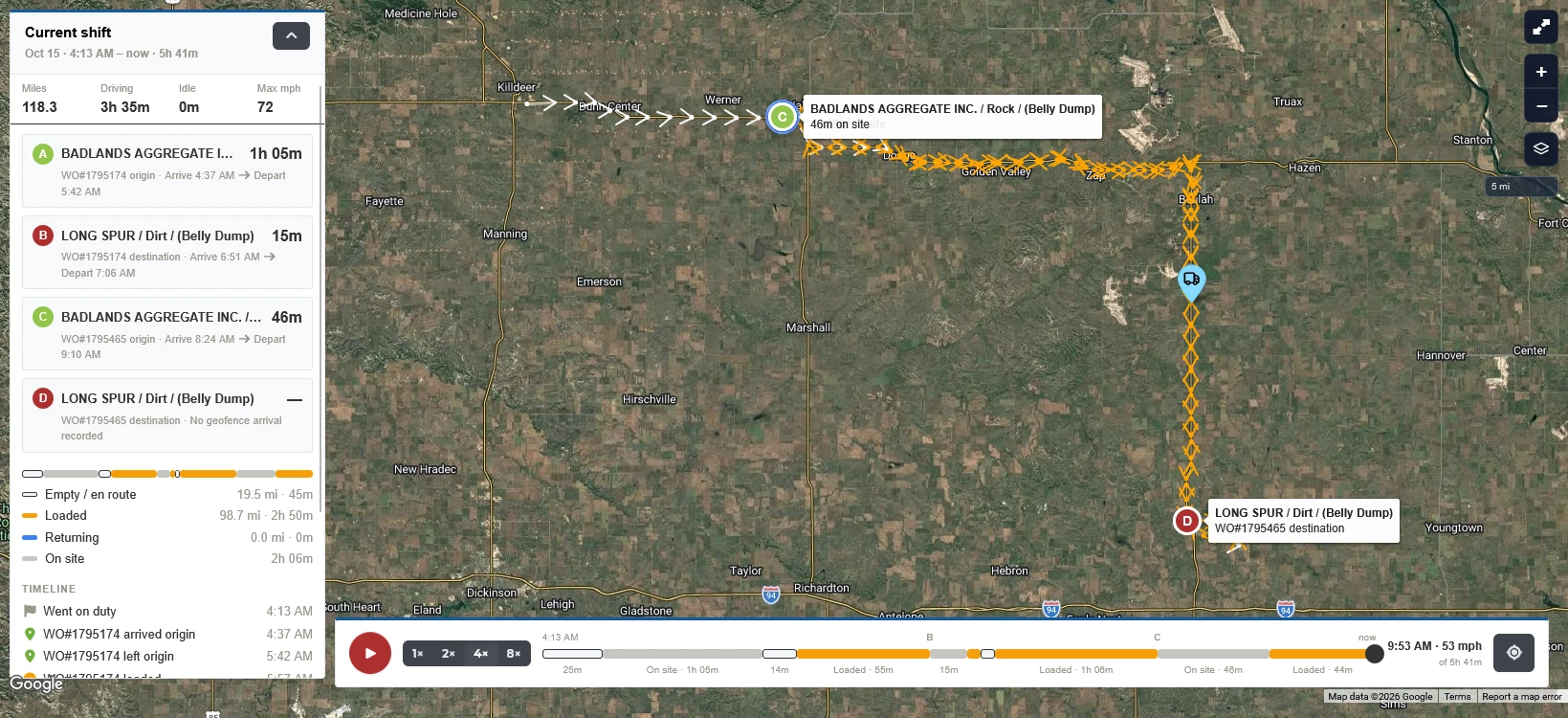
Shift replay
A driver’s whole shift split into loaded, empty, returning, and on-site time, with every stop.
Road restrictions and load limits
Draw a road on the map and choose: off limits to everyone, or allowed only under a load limit such as 80 barrels or 12 tons. The moment a truck goes on one, or on a limited road loaded over its limit, the driver gets a text and their truck boss gets an alert with a map.
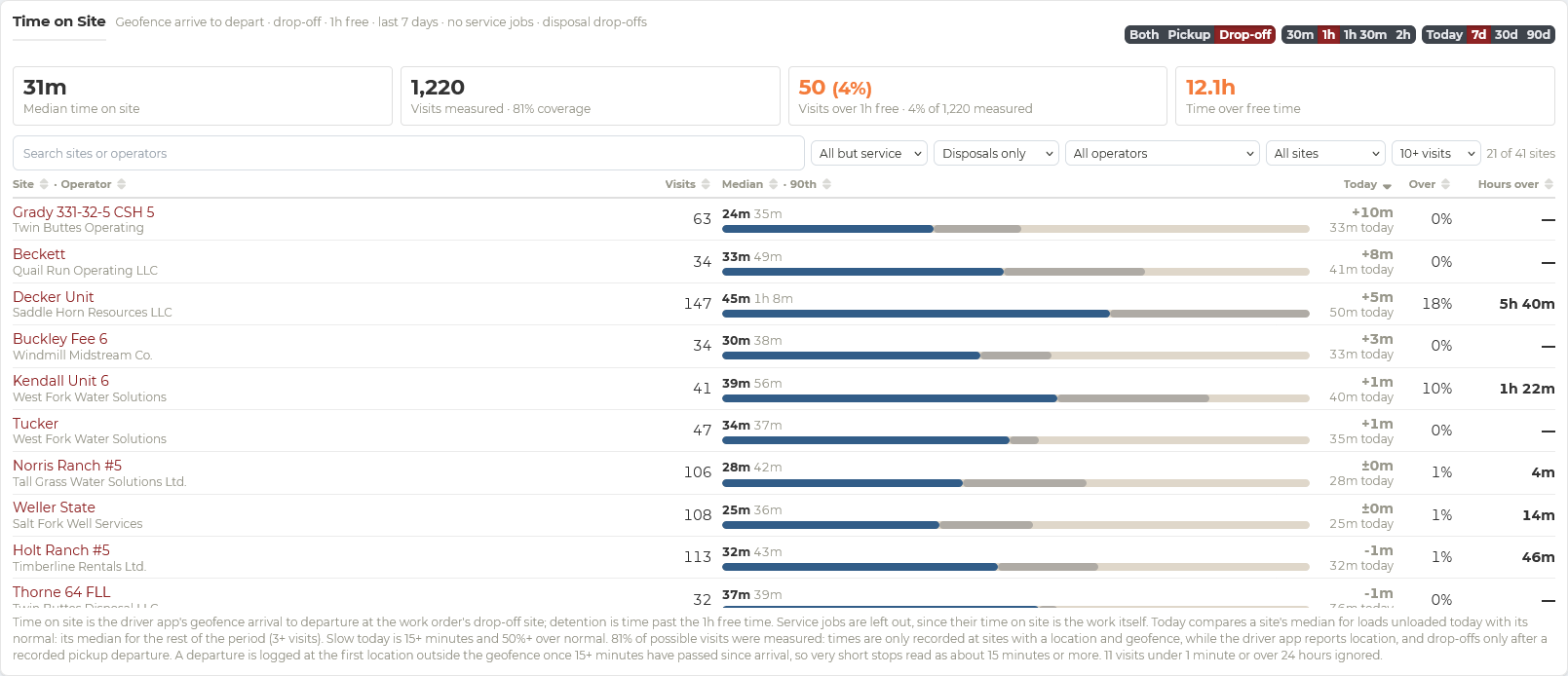
Time on site
Geofenced arrival and departure times show which sites keep trucks waiting.
Load reports for your customers
When a customer questions a load, send them the record
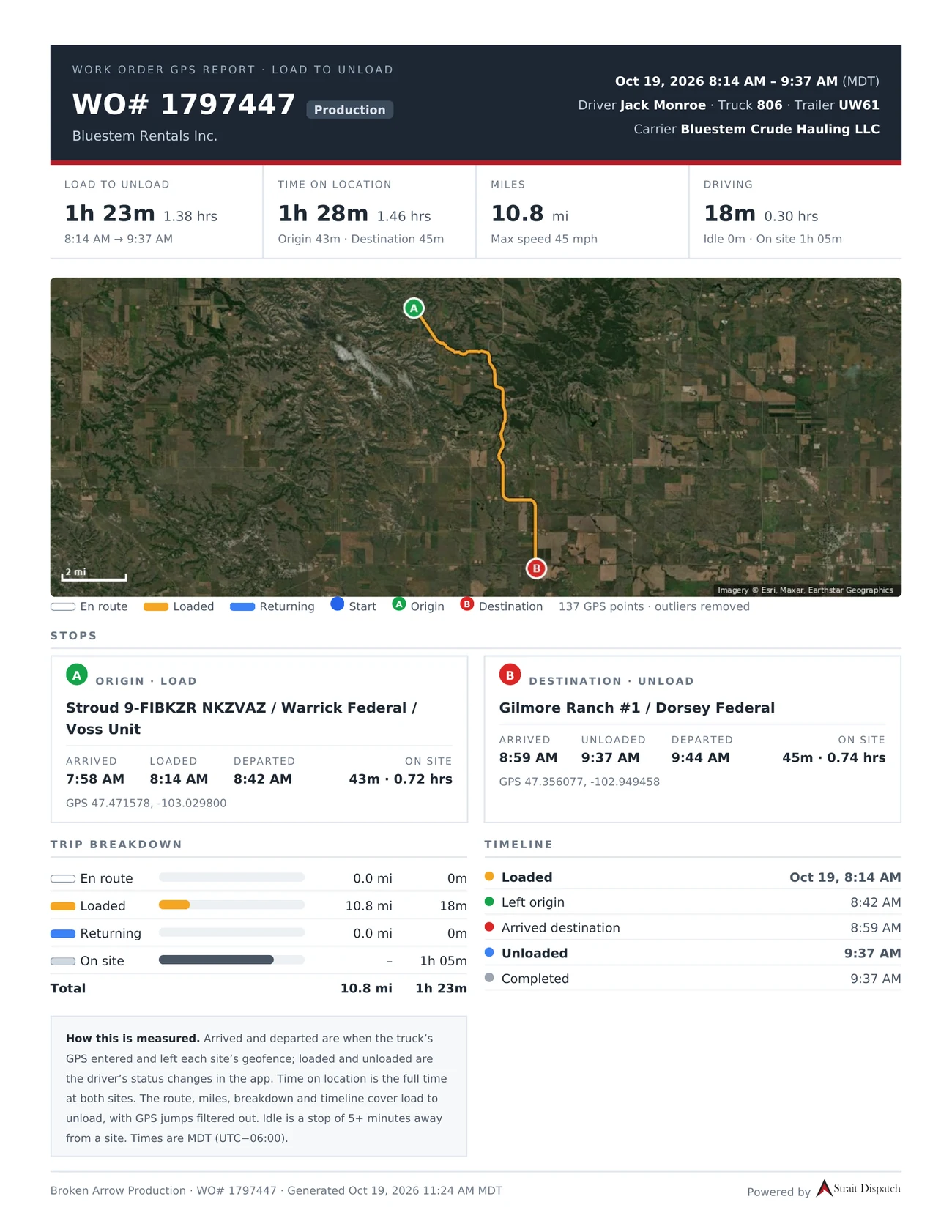
A customer says the truck sat too long, took the long way, or never made it to the site. Instead of arguing from memory, send them a report for that load, built from the work order’s own record: where the truck went, when it got to each site, and how long it stayed.
- The route on a map, from load to unload
- Arrived and departed at each site from the truck’s GPS, with loaded and unloaded from the driver’s app
- Time on location, miles, driving and idle time, and top speed
- A trip breakdown and a timeline of every status change
- How each number is measured, printed on the report
Billing and auditing
Review exceptions and move completed work to billing
The back office works from the same work orders dispatch created and drivers completed. Every change is recorded, so auditing is a review rather than a reconstruction. Build your audit rules so you can auto-approve over 90% of your work orders, with confidence.
- Audit rules per fleet, customer, and job, with work orders that pass approved automatically
- Import CSV: check your loads against the customer’s own ticket export
- Work order journal recording every edit, by whom and when
- Mass corrections and adjustments across many work orders at once
- Billing methods set per customer, with invoice value limits
- Audit and invoice completed work orders in batches
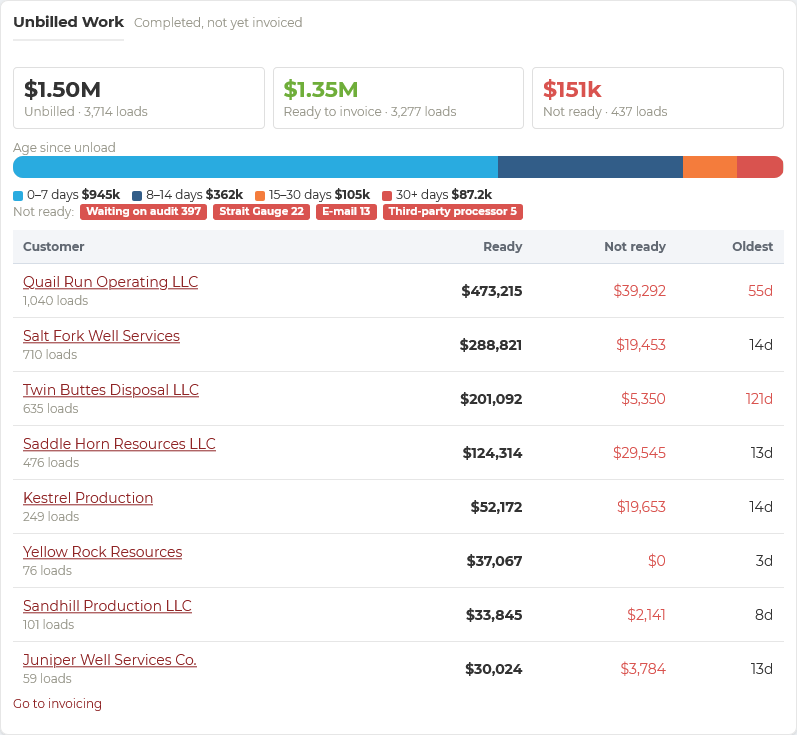
- Unbilled work view: what is ready to invoice, and what is still waiting on audit, a gauge reading, or a third-party processor
- Aging and top-customer views of what is owed
“We went from a billing team of three to five people to one person managing more than 500 loads a day.”
Documents and e-signatures
Invoices, field tickets, and printed tickets that look the way you want
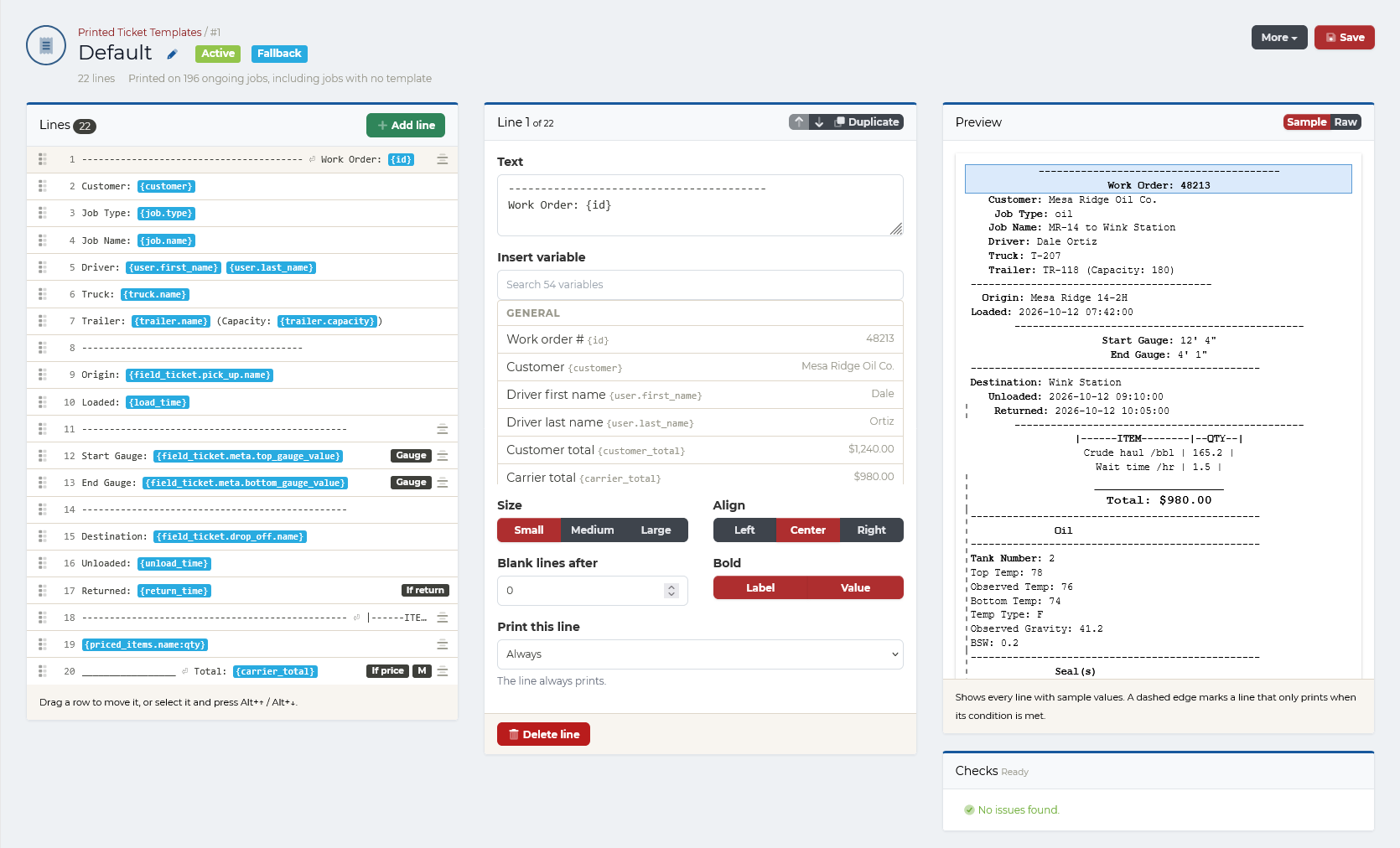
Design every document your operation produces. Choose what each line shows, insert work order values, set formatting, print a line only when it applies, and preview the result with sample data before it goes live.
- Invoices, field tickets, printed tickets, and more
- Templates assigned to jobs, with a fallback default
- Dozens of work order values to insert
- Live preview and checks before you save
- Build a template with AI: describe the layout you want, and it is drafted, checked, and shown to you before you save it
Strait Sign e-signatures
Get anything signed, by anyone, from the same platform
Strait Sign sends invoices, field tickets, rate confirmations, or any PDF to the people who need to sign: company men, drivers, carriers, and customers. Each signs from their own link on a phone or computer, and the finished document is sealed with an audit trail and a certificate of completion, built to meet ESIGN Act and UETA requirements.
- Several signers, in order or at the same time
- Email, text, Driver app, or portal delivery
- Audit trail and certificate of completion
- Kept for seven years or more
Reporting and communication
Repeatable visibility without rebuilding reports
Dashboards and scheduled reports draw on the same work orders, so the numbers match what was dispatched and billed.
Build the report you need, then schedule it
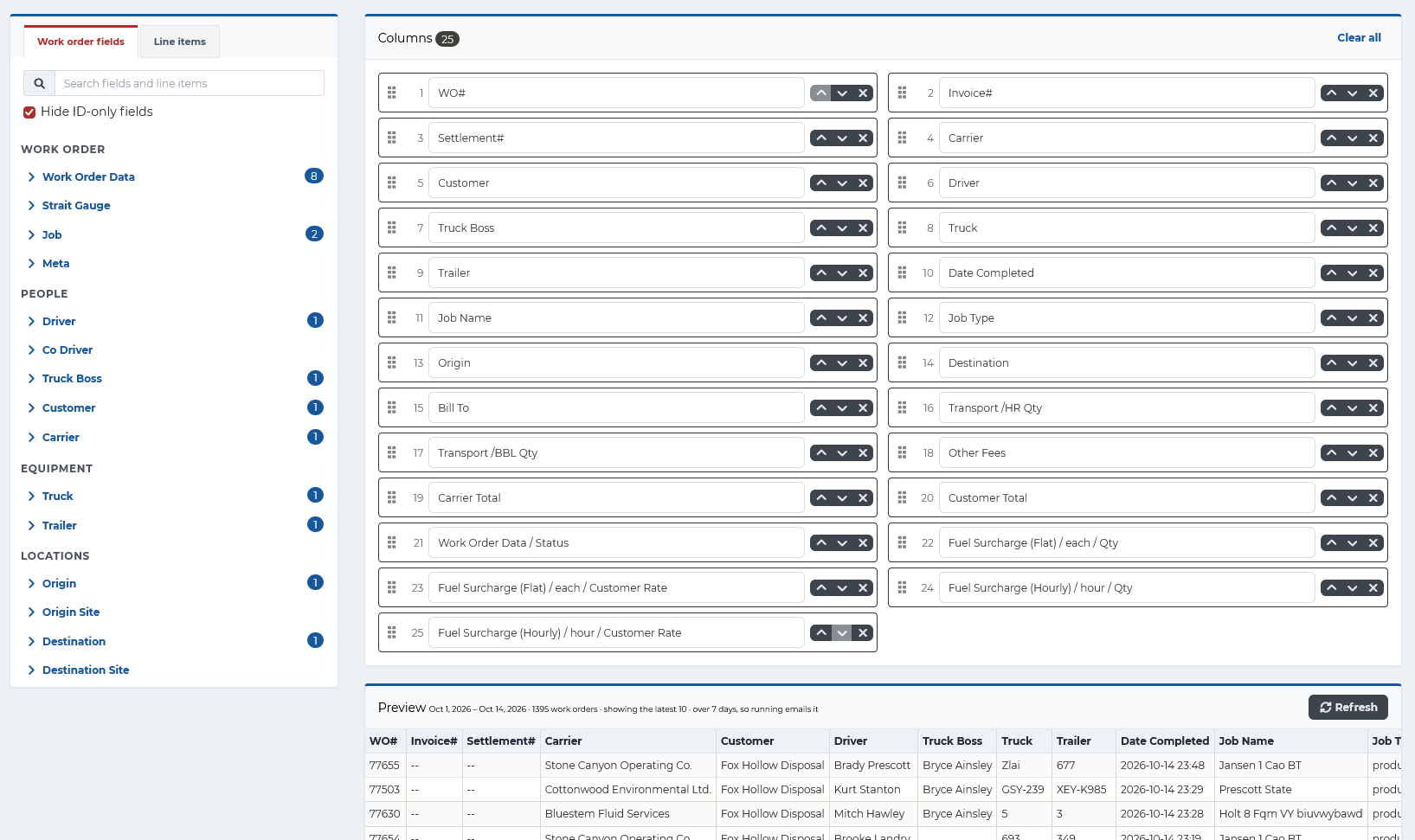
Start from a template or build a custom report: pick columns from work order fields and line items, put them in the order you want, and preview the results on live data. Save it to a folder and schedule it to run daily, weekly, or monthly.
- Columns from work order, people, equipment, location, and line item fields
- Live preview before you save
- Folders, owners, and saved views
- Scheduled runs sent by email
Scheduled reports
Build reports and have them run daily, weekly, or monthly, sent to the people you choose.
Revenue dashboards
Revenue by day and job type, revenue against goals, and revenue leaders by driver, truck, or carrier.
Receivables
Aging summary of open invoices by customer, and how concentrated revenue is in your top customers.
Equipment utilization
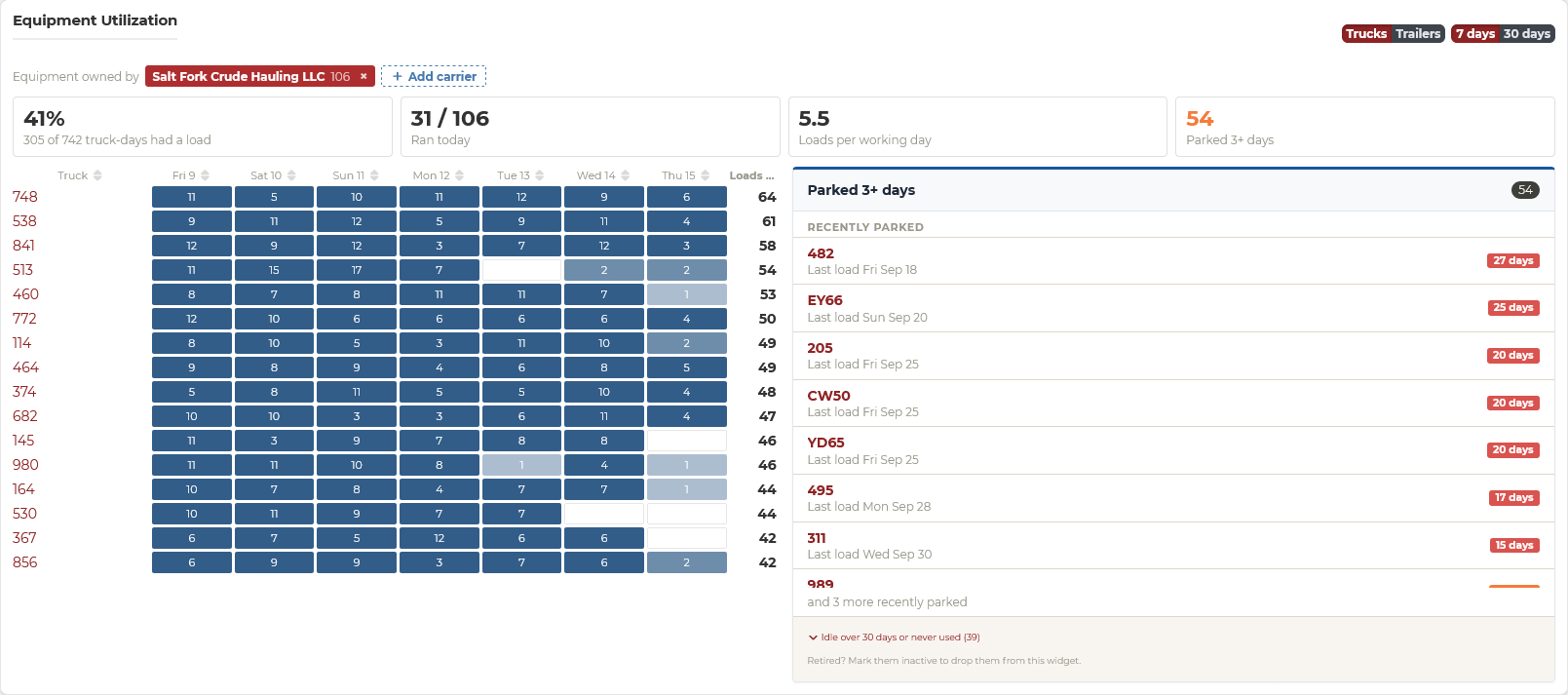
Which trucks and trailers ran each day, loads per working day, and equipment parked for three days or more.
Time on site
Geofenced arrival-to-departure times at each site, with visits over the free time and the hours they add up to.
Driver productivity
Revenue per day worked for each driver, and the busiest hours and weekdays for loads.
Summary reports
Loads by state and county, volume by well, site, or disposal, lanes, margin per load, cost per mile, and IFTA miles by state from your ELD.
Fuel and maintenance
Fuel card purchases matched to trucks and drivers, MPG and fuel exceptions, and service schedules by days, miles, or engine hours.
Driver compliance
Driver Qualification Files, drug and alcohol records, and documents due or expiring across the fleet.
Driver compliance: Driver complianceSaved and scheduled reports
Every saved report in one list, with its folder, owner, schedule, and when it last ran. Run one on demand, move it into a folder, or set it to email itself daily, weekly, or monthly.
Revenue by day
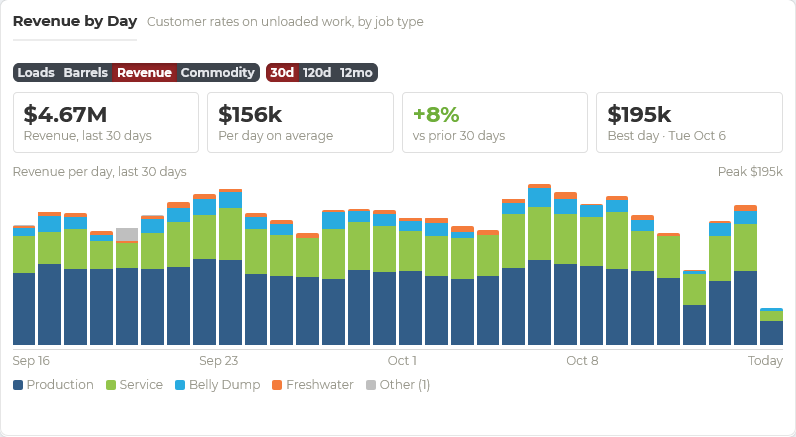
Customer revenue on unloaded work for each day, stacked by job type, with the 30-day total, daily average, change from the prior 30 days, and your best day. Switch to loads, barrels, or commodity, over 30 days, 120 days, or 12 months.
Top customers
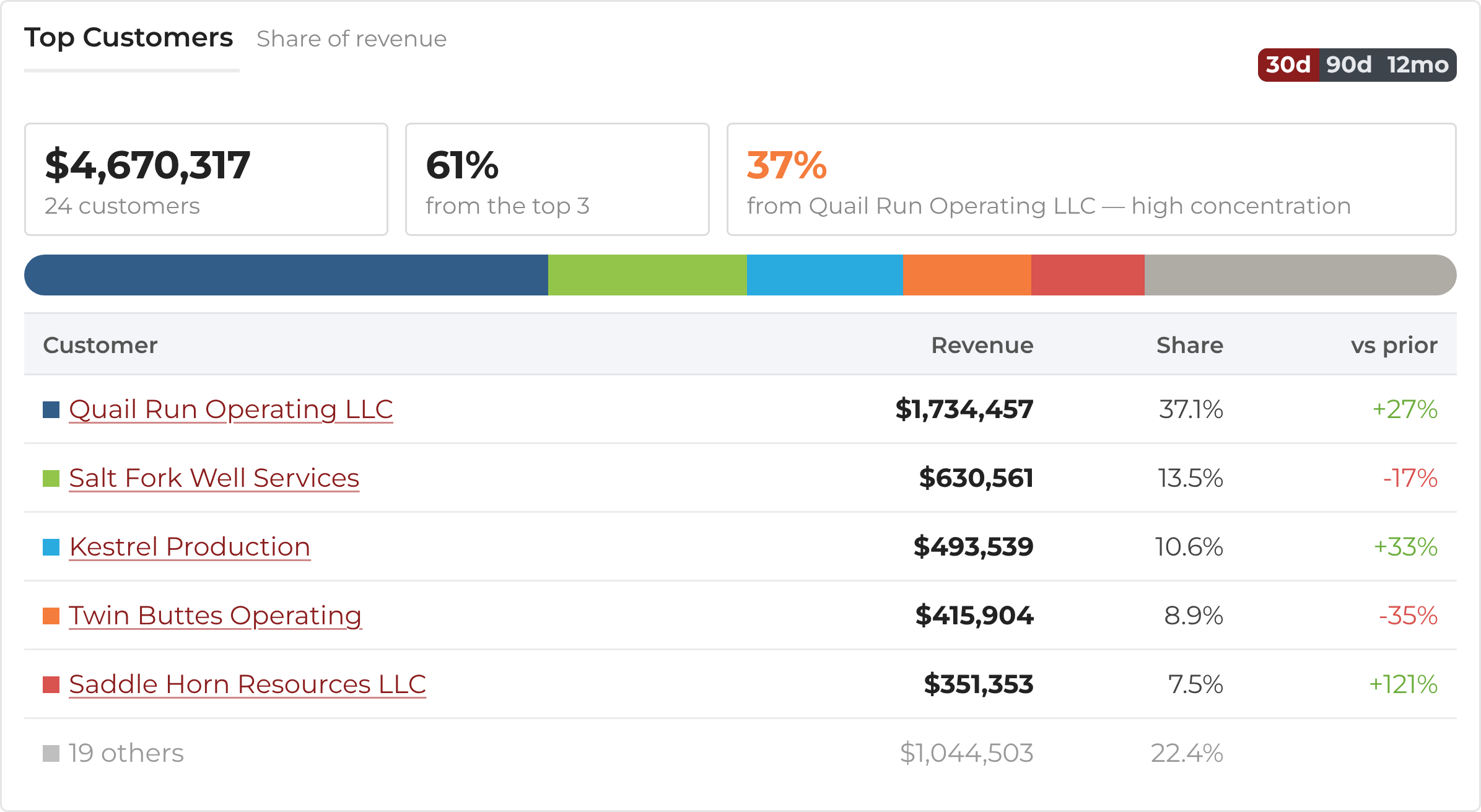
Each customer’s revenue, share of the total, and change from the prior period, with a warning when too much of your revenue depends on one customer.
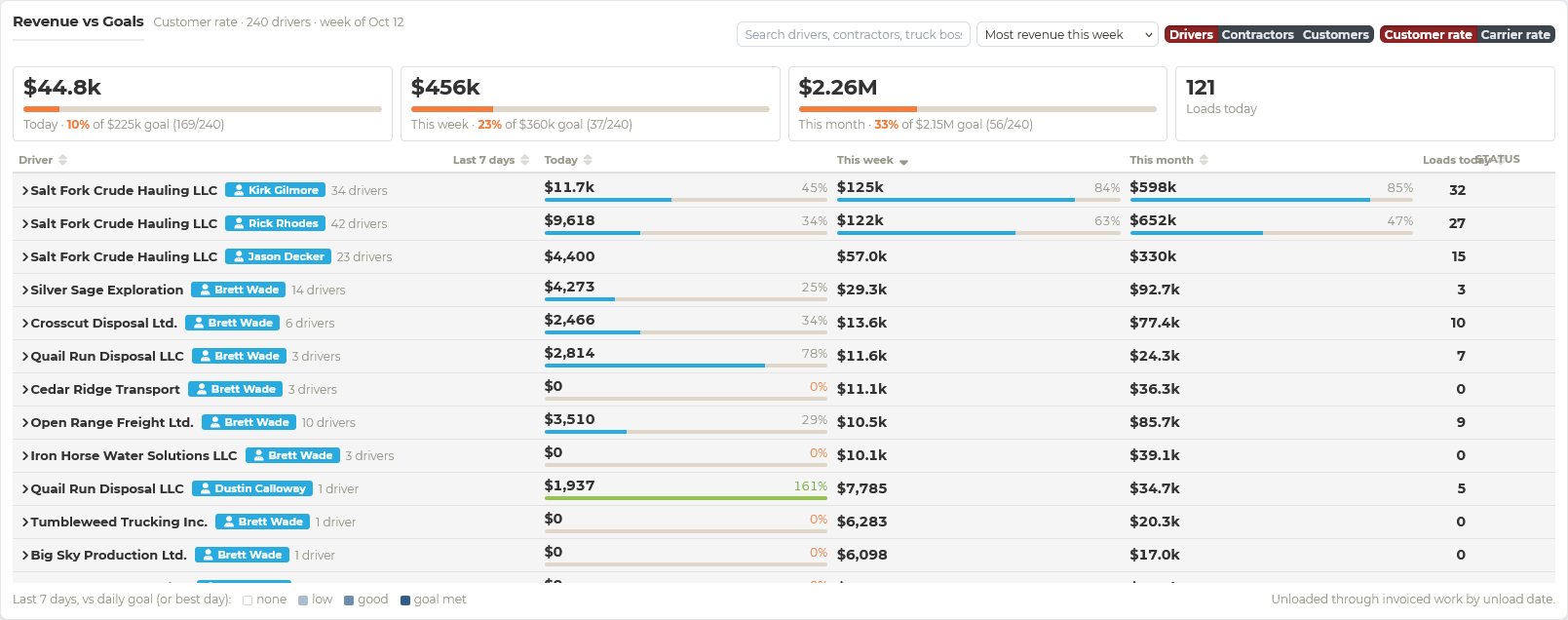
Revenue against goals
Today, this week, and this month measured against your revenue goals, broken down by driver, contractor, or customer, with each row’s progress bar and the loads delivered today.
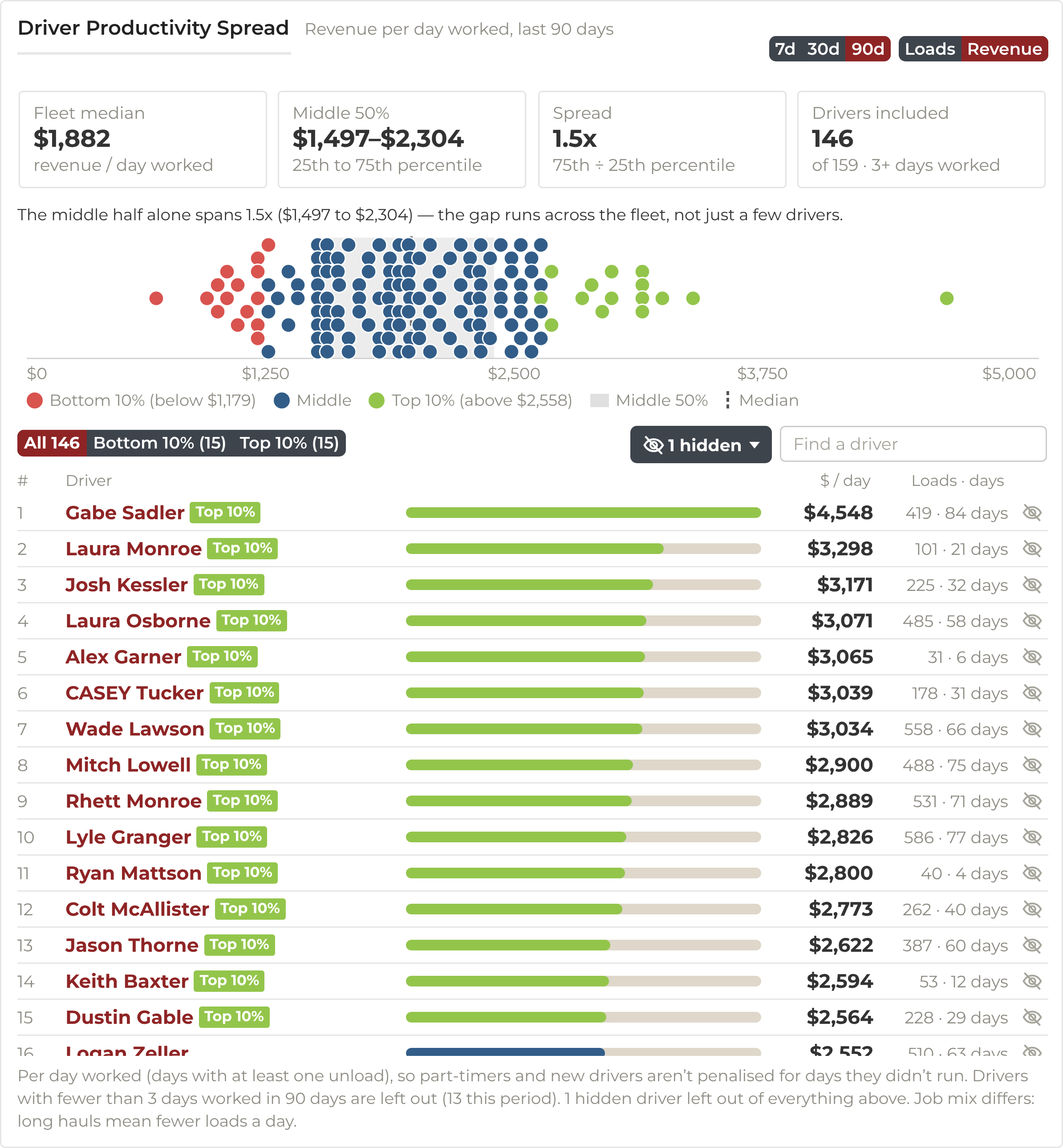
Driver productivity
Revenue per day worked for every driver, plotted to show the spread across the fleet and who sits in the top and bottom 10%. Part-time and new drivers are not penalized for days they did not run.
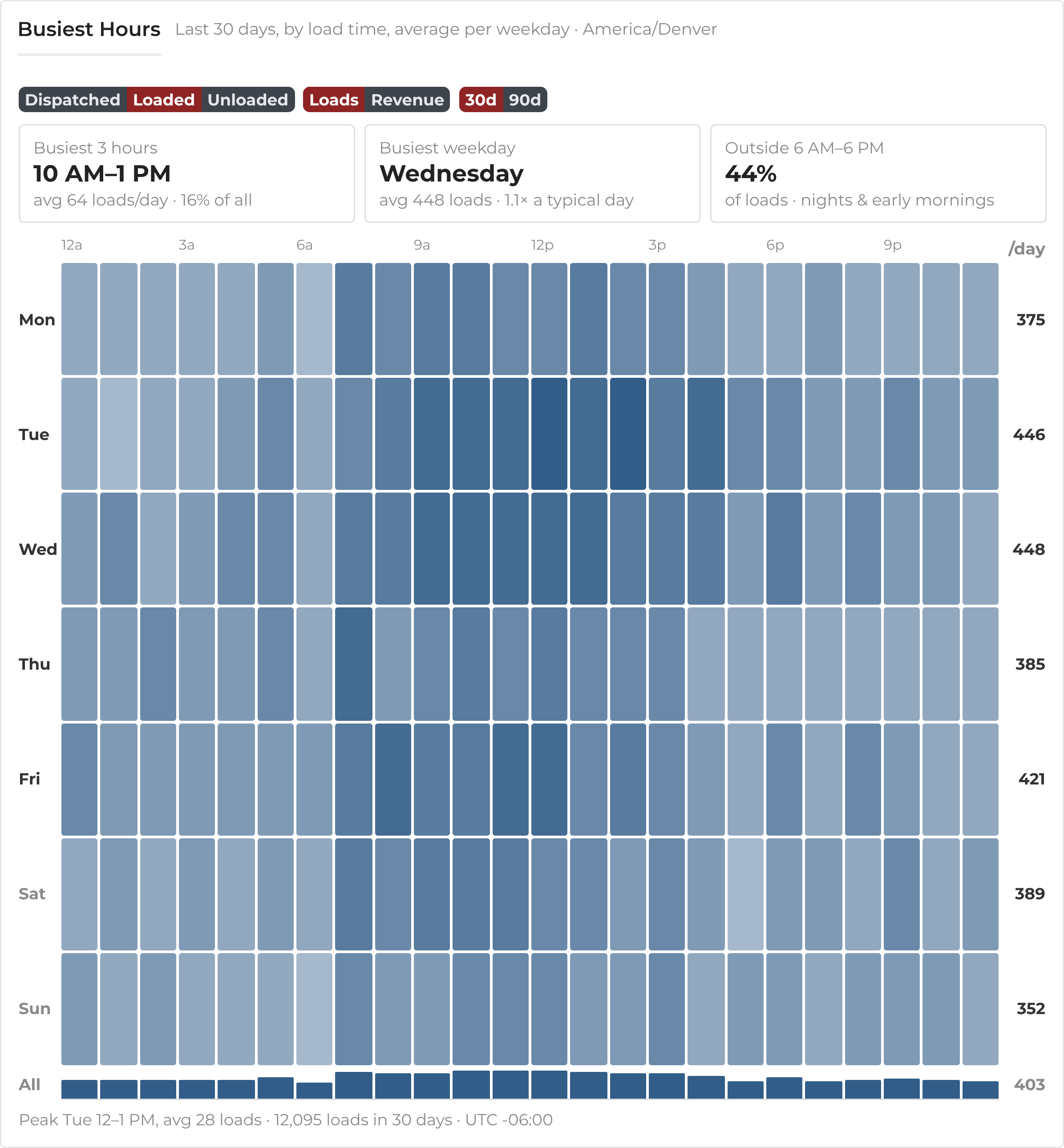
Busiest hours
Loads by hour and weekday as a heat map, with your busiest three hours, busiest weekday, and how much work happens outside 6 AM to 6 PM. Useful for staffing dispatch and planning shifts.
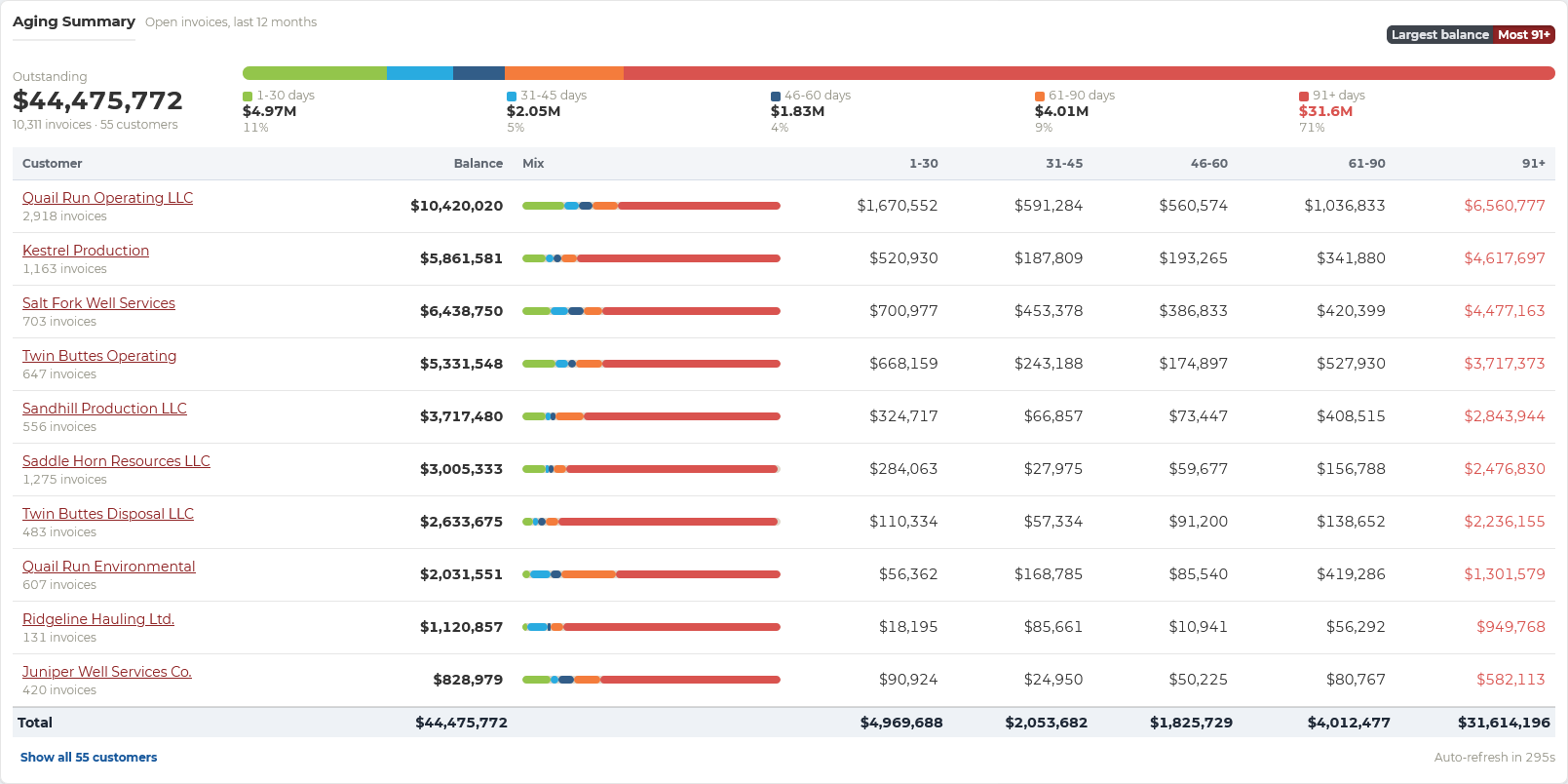
Receivables aging
Open invoices by customer, split into 1–30, 31–45, 46–60, 61–90, and 91+ days, so collections can start with the largest and oldest balances.
Equipment utilization
Loads hauled by each truck or trailer each day, the share of truck-days with a load, loads per working day, and every unit parked three days or more, so idle equipment does not go unnoticed.
Communicate where the work is
Text drivers from inside Strait Dispatch and send load information the moment it is ready. Phone numbers registered on the platform keep fleet conversations in one place.
Connect the systems you already use
Bring in location and hours from Motive, Samsara, or Geotab, fuel card purchases from Comdata or WEX EFS, and connect accounting, operator e-invoicing, and carrier compliance services.
See the workflow with your own jobs
We will walk through dispatch, the Driver app, tracking, and billing using work that looks like yours.
No credit card required for the free trial.