

For fleet owners, dispatchers, and operations managers
Transportation management software built around real dispatch work
Dispatch, the Driver app, digital tickets, GPS, and billing in one system, so every load gets from assignment to invoice without re-keying. Built first for oilfield hauling.
Free trial, no credit card required. Already a customer? Fleet Manager Login
Customer result
“We went from a billing team of three to five people to one person managing more than 500 loads a day.”
Who it fits
Built for operations where every load has to be accounted for
Pick the workflow closest to yours. Each page shows the screens and steps that matter for that kind of hauling.
Oilfield and water hauling
Paper tickets, last-minute job changes, and route restrictions make it hard to know what was hauled and what can be billed.
See the workflow: Oilfield and water haulingCrude oil hauling
Run tickets with corrected net barrels, tanks filling up, and operators who invoice through OpenInvoice.
See the workflow: Crude oil haulingVacuum truck and oilfield service
Hourly jobs, a JSA on every location, and field tickets the operator has to approve.
See the workflow: Vacuum truck and oilfield serviceSand, aggregate and construction
High-volume days with many short loads need fast assignment, clean tickets, and billing that keeps pace.
See the workflow: Sand, aggregate and constructionAgricultural hauling
Harvest-season volume, extra contractor trucks, and a ticket from every elevator and plant.
See the workflow: Agricultural haulingOTR, local, LTL and FTL
Multi-stop loads, appointment times, local runs, and customers asking where their freight is.
See the workflow: OTR, local, LTL and FTLFreight brokerage
Customer charges, carrier payouts, and margin on every load, plus carriers who need loads to book.
See the workflow: Freight brokerageSomething else?
If your trucks run dispatched loads that end in a ticket and an invoice, Strait Dispatch can likely be set up for them.
Tell us about it: Something else?How it works
One workflow from work order to invoice
Each step works from the same work order record, so nothing is re-keyed between dispatch, the field, and the office.
Create and assign
Dispatch builds the work order with stops, rates, and notes, then assigns a driver and truck.
Driver completes and uploads
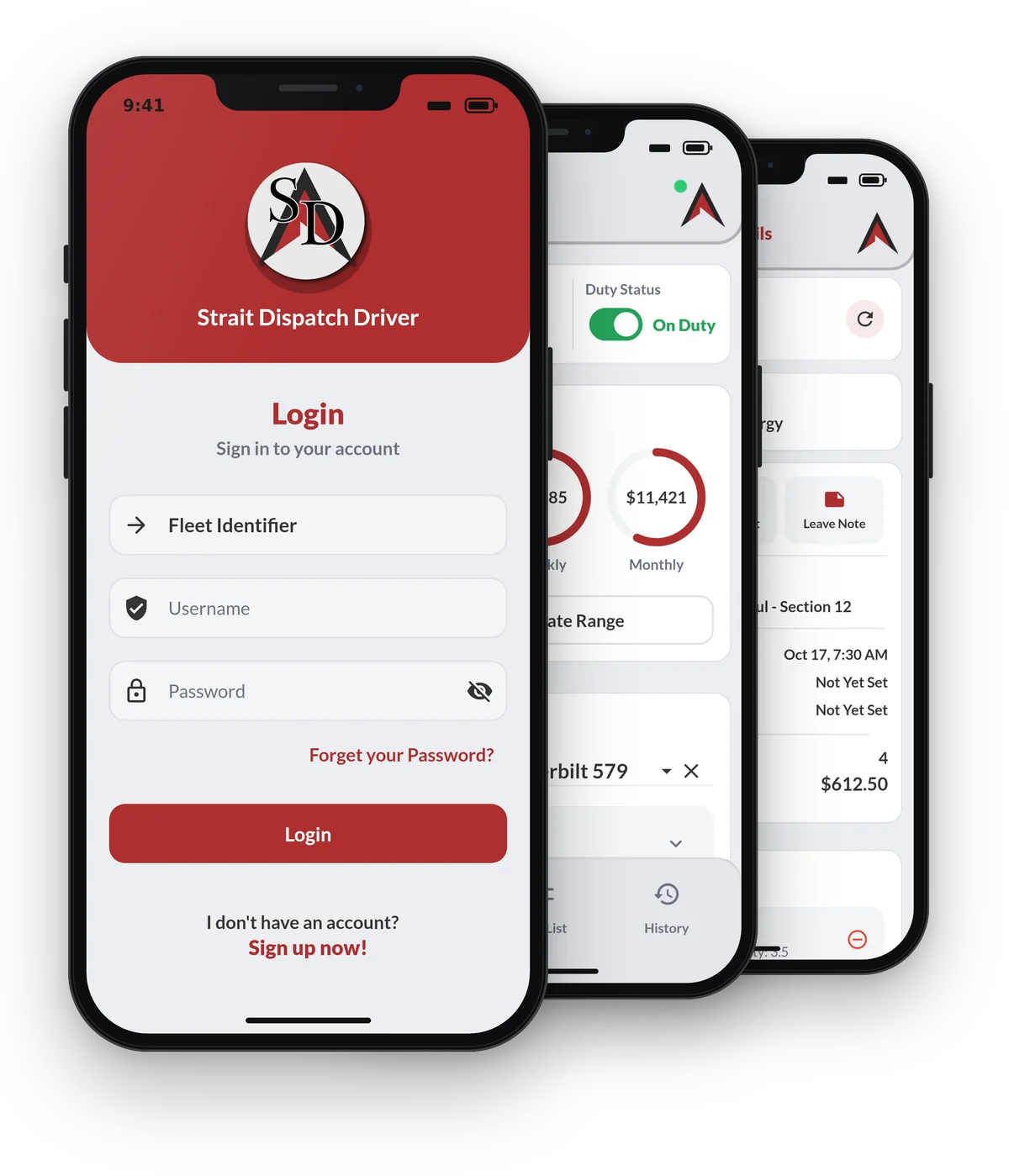
The driver receives the job in the app, records the ticket, photos, and inspection, and updates status.
Dispatch tracks and adjusts
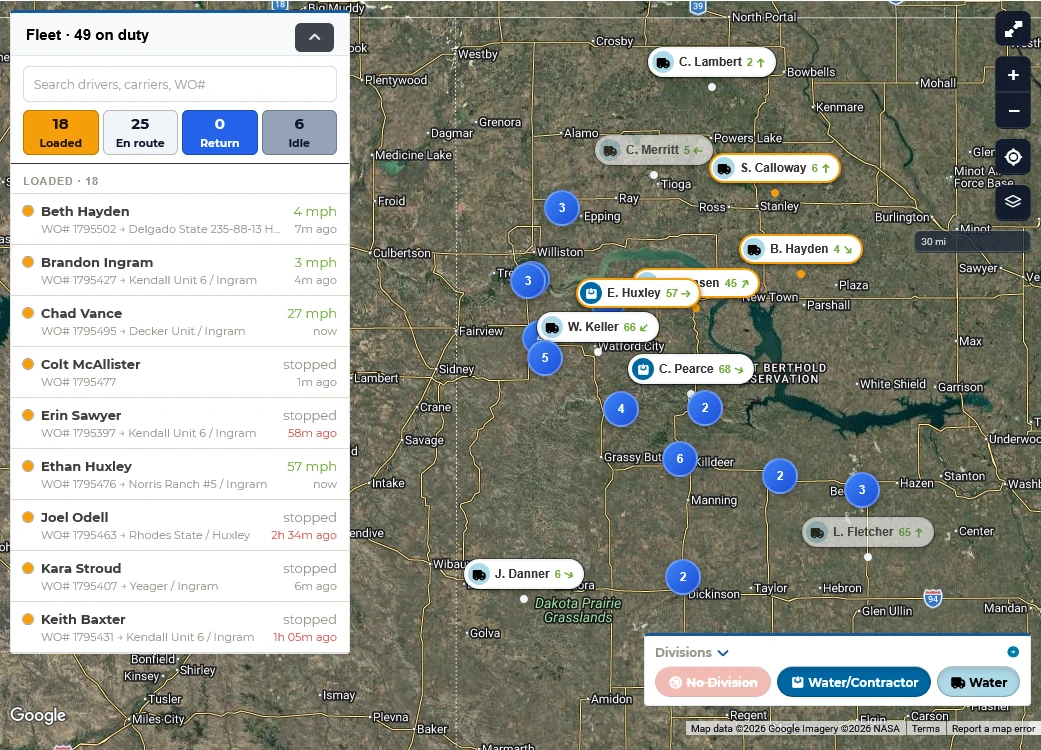
Location and status stay visible on the map. Changes are logged to the work order's history.
Office audits and bills
Billing reviews completed work, corrects in bulk when needed, and invoices from approved records.
Management reports
Scheduled reports and dashboards show loads, revenue, and equipment use without rebuilding spreadsheets.
Driver Day Board
Plan every driver’s day on one board
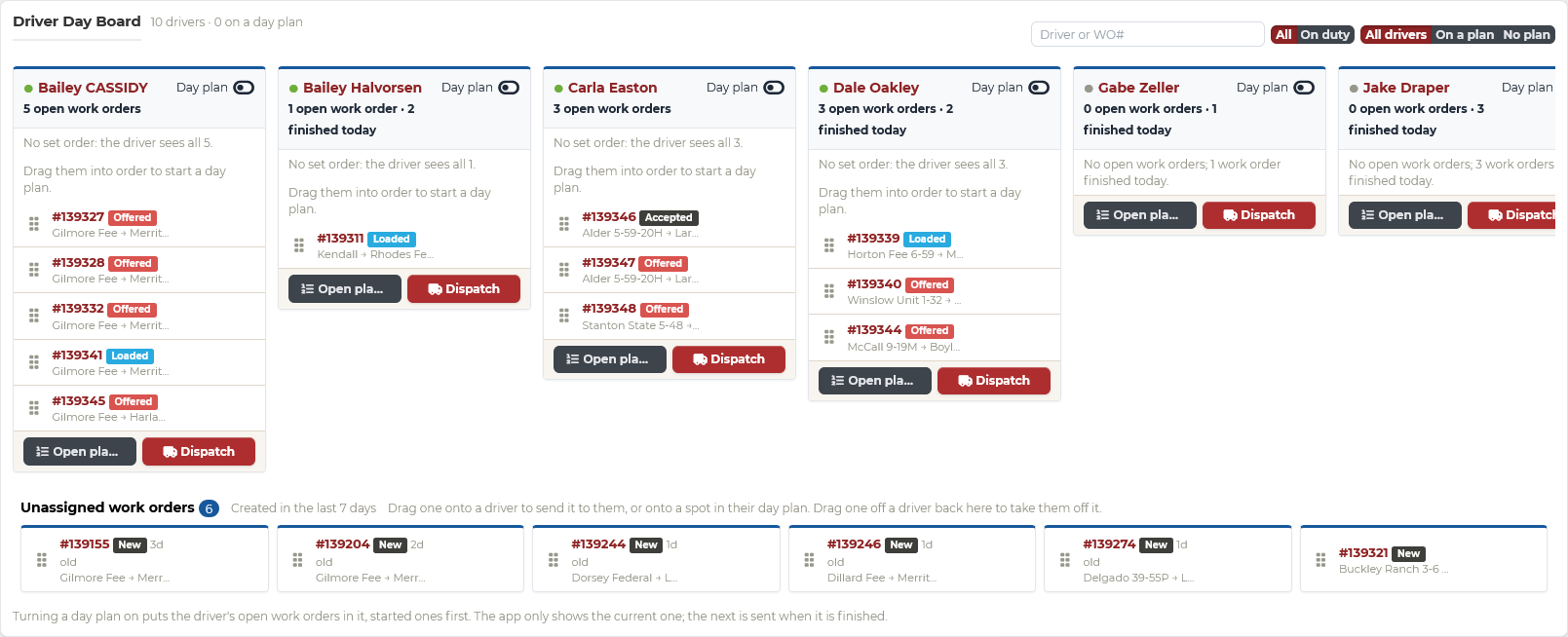
The Driver Day Board is where dispatch runs the day: each driver’s loads in order, unassigned work waiting below, and drag and drop to send, take back, or reassign a work order. Every change reaches the driver’s app right away, so the board and the field always agree.
- Queue each driver’s loads in the order you want them run
- Day plans, per driver: show only the current load, and send the next when it is finished
- Unassigned work orders waiting to be placed
What is included
Everything from the first call to the paid invoice
Driver app and digital tickets
Drivers get work, record tickets, photos, inspections, and JSAs in the app, so the office works from the same record.
Driver app: Driver app and digital ticketsGPS, routes, and replay
Follow every truck with app GPS, Motive, or Samsara, keep drivers on certified routes, and replay any load or shift.
Tracking: GPS, routes, and replayAuditing and billing
Every change is on record, so billing audits and invoices completed work in batches instead of rebuilding it.
Billing: Auditing and billingStrait Sign e-signatures
Invoices, field tickets, rate confirmations, or any PDF, signed by anyone from their phone, with an audit trail and kept seven years or more.
Strait Sign: Strait Sign e-signaturesReports and dashboards
Revenue, time on site, and equipment use at a glance, with scheduled reports in the right inboxes.
Reporting: Reports and dashboardsIntegrations
Motive, Samsara, QuickBooks Online, OpenInvoice, and the carrier services you already use.
Integrations: IntegrationsSee your operation from dispatch through billing
Your demo starts with a short look at how your loads move today, then shows Strait Dispatch running them. Most fleets are set up in less than 72 hours. Prefer to explore on your own? Start a free trial.
No credit card required for the free trial.