

Sand, aggregate and construction hauling
Dispatch software for sand, aggregate, and construction hauling
Many loads a day, tickets at every scale house and job site, and customers who want an accurate invoice. Strait Dispatch keeps assignment, tickets, tracking, and billing on the same work order.
Free trial, no credit card required. Already a customer? Fleet Manager Login
Where it fits
Built for high-volume, short-haul days
The same workflow Strait Dispatch runs for oilfield haulers, applied to sand, gravel, rock, dirt, and demolition loads measured by the ton, the load, or the hour.
Fast, repeatable assignment
Create work orders for each job and assign drivers and trucks from one dispatch screen. Job types such as belly dump, end dump, and site work are set up for your operation.
A ticket for every load
Drivers record tickets and photos in the Driver app, so the office is not waiting on paper from the scale house.
Where every truck is
Live location and status on the fleet map, plus time on site at each pit, plant, or job site.
Billing from audited loads
Audit completed work in batches, make mass corrections, and invoice using each customer’s billing method.
Owned and contractor trucks
Dispatch your own fleet and contractor carriers on the same board.
Loads and revenue by day
Dashboards for loads, revenue by job type, equipment utilization, and the busiest hours of the week.
Driver Day Board
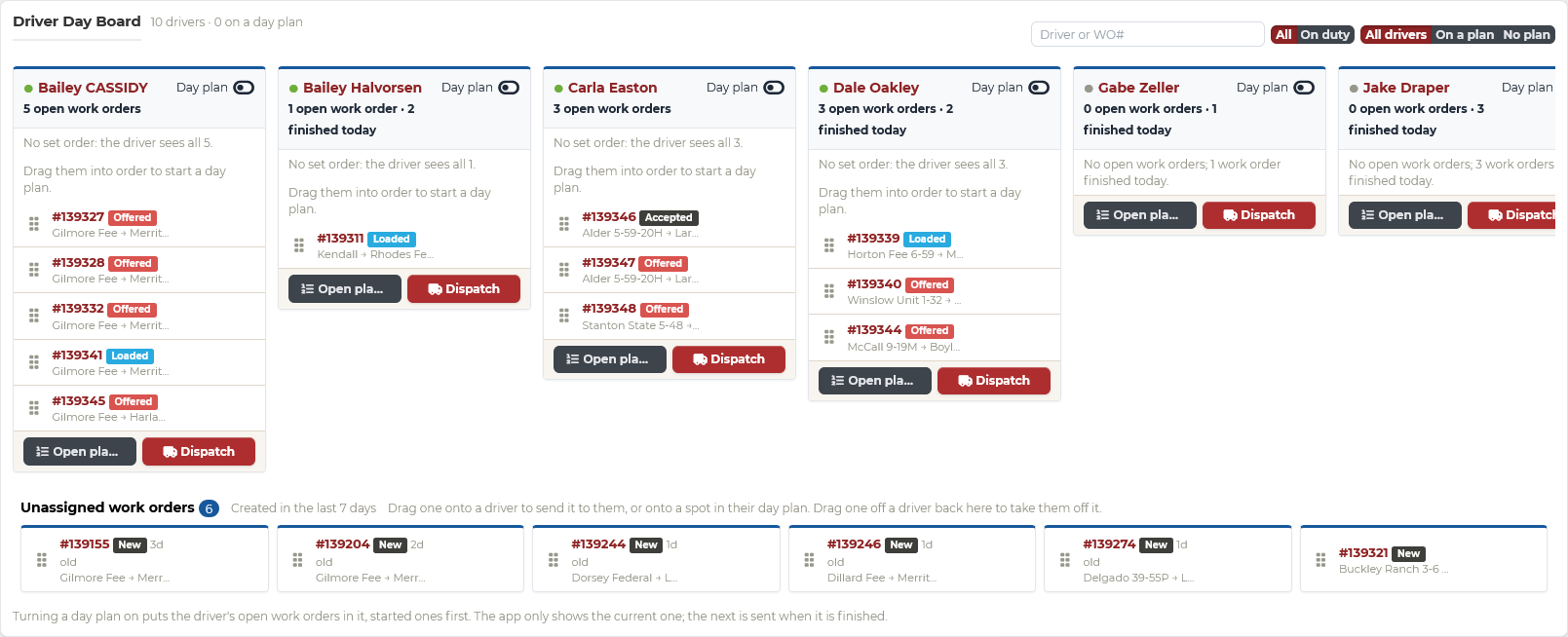
Line up each driver’s loads for the day by drag and drop
Queue a driver’s loads in the order you want them run, move work between drivers when a truck goes down, and pull a load back when plans change. Turn on a day plan and the driver sees one load at a time, with the next sent as soon as they finish, so loads run in your order. Every change shows up in the driver’s app right away.
Hours of service
See who is close to their limit before you send the next load
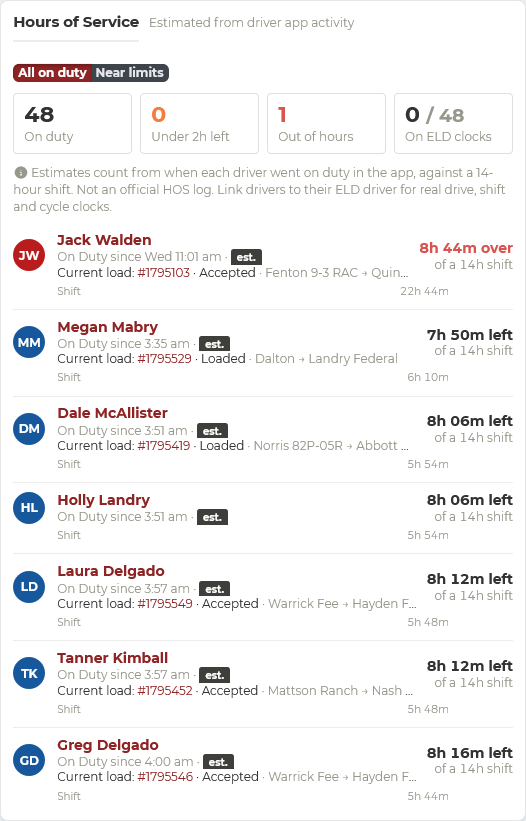
Strait Dispatch estimates each driver’s hours from when they went on duty in the Driver app, measured against a 14-hour shift. See who is running low or out of hours, and what load they are on, before you assign more work.
It is a planning tool, not an official HOS log or an ELD. Link drivers to their Motive or Samsara driver to see their real drive, shift, and cycle clocks.
- Time left in each driver’s 14-hour shift
- Drivers under two hours left, or out of hours, flagged
- Current load and status beside each driver
- Real ELD clocks for drivers linked to Motive or Samsara
Time on site
Know which pits, plants, and job sites keep trucks waiting
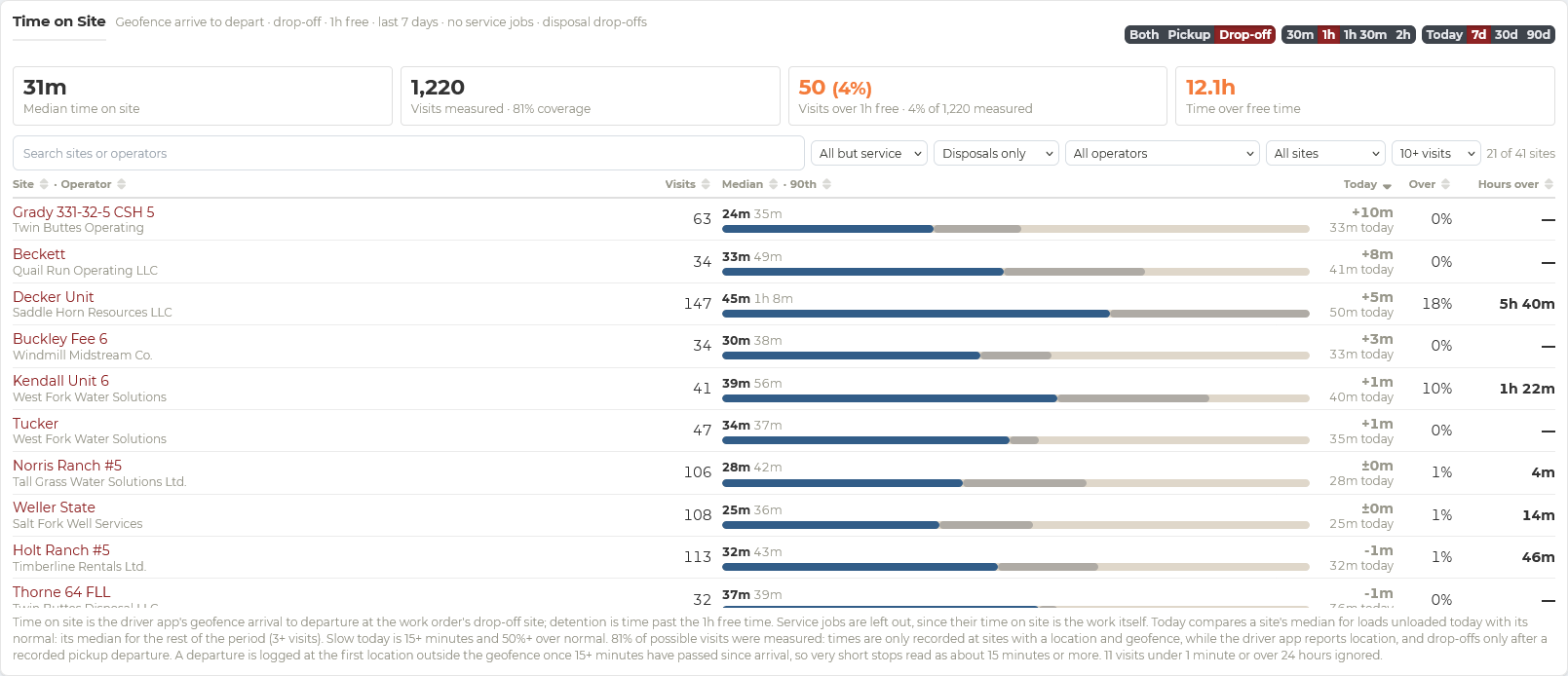
Geofenced arrival and departure times show the median time at every pit, plant, and job site, how today compares with normal, and which visits ran past the free time. See a slow scale line before you send the next truck into it.
When you are paid by the load or the ton, minutes in line add up fast. Time on site shows where they go, and the detention worth raising with the customer.
Driver document management
Every driver’s paperwork in one place, with notice before anything expires
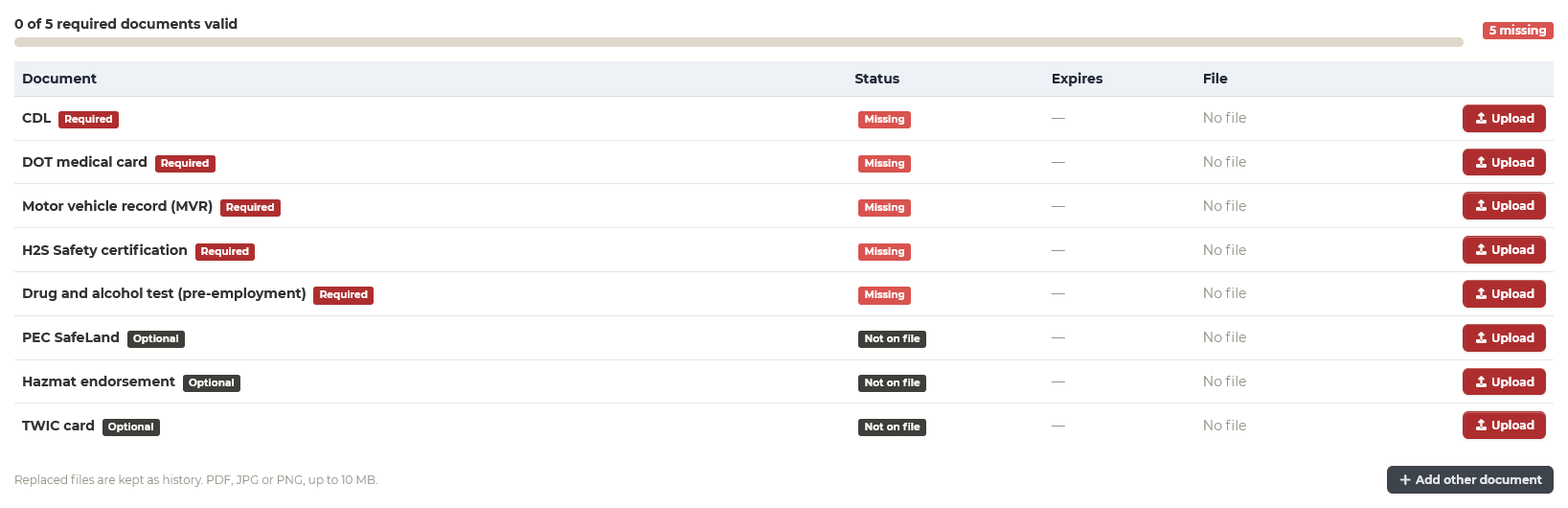
Set the documents your drivers need, mark each one required or optional, and see at a glance what each driver has on file, what is missing, and when it expires. Strait Dispatch flags what is coming due, so you renew in time instead of finding out at the scale house or the gate.
- CDL, DOT medical card, MVR, and drug and alcohol tests
- H2S, PEC SafeLand, hazmat, TWIC, and anything else you require
- Required or optional, set by you
- Advance notice 30, 60, or 90 days before expiration
- Missing and expired documents flagged on your dashboard
- Replaced files kept in each driver’s history
Driver accountability
Know how every hour on the clock was spent
When you bill customers by the hour, they expect every hour to count. If one driver runs ten loads a day and another runs five on the same origin and destination, the customer pays the same rate for half the work, and they will notice. Do not lose a contract because nobody was watching out for your customer’s bottom line.
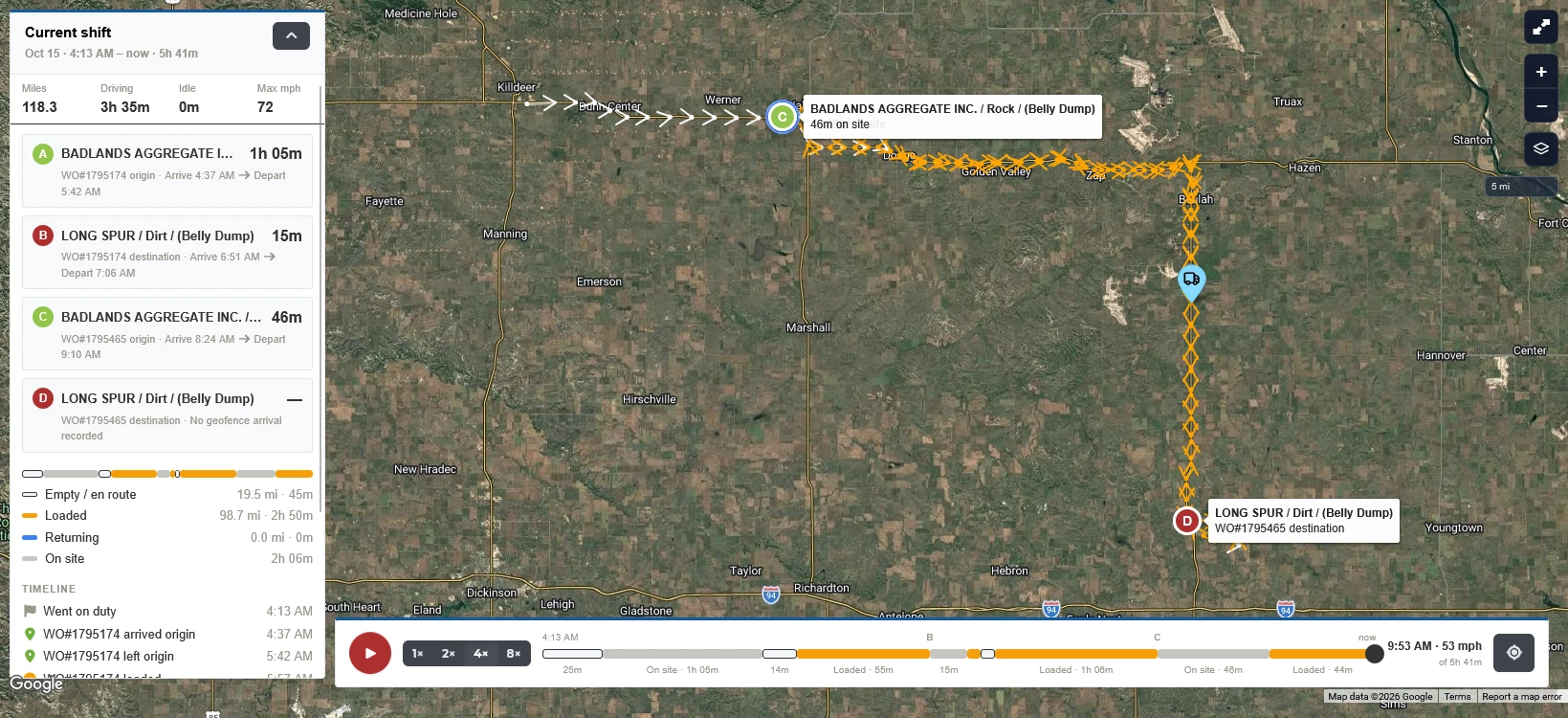
Replay a single load or a driver’s whole shift: every stop, how long they stayed, and how long they spent at each site. You will know whether a driver was really waiting on site, or parked two miles down the road.
- Replay one load, or a driver’s entire shift
- Every stop, and how long the truck sat there
- Time on site at each origin and destination
- Loaded, empty, and on-site time broken out
- Miles, driving time, idle time, and top speed
Workflow
From the first load to the invoice
Create and assign
Dispatch sets up the job and assigns trucks.
Haul and ticket
Drivers record each load and ticket in the app.
Track
Dispatch sees status, location, and time on site.
Audit
Billing reviews tickets against the work order history.
Invoice
Approved loads become invoices without retyping.
Tell us how your hauling works
Aggregate operations vary widely: how you rate loads, what your tickets carry, and how customers are billed. Your demo will start with a short review of your process so we show the parts of Strait Dispatch that fit it.